

C: Vulkan Interop#
This example demonstrates how to integrate ovrtx with Vulkan by sharing renders on the GPU.
The example maps ovrtx outputs to CUDA arrays every frame, then copies them to CUDA-exported VkImage memory. A fullscreen quad samples the resulting textures to display the render in real time in a GLFW window. Memory access between CUDA and Vulkan is synchronized using timeline semaphores.
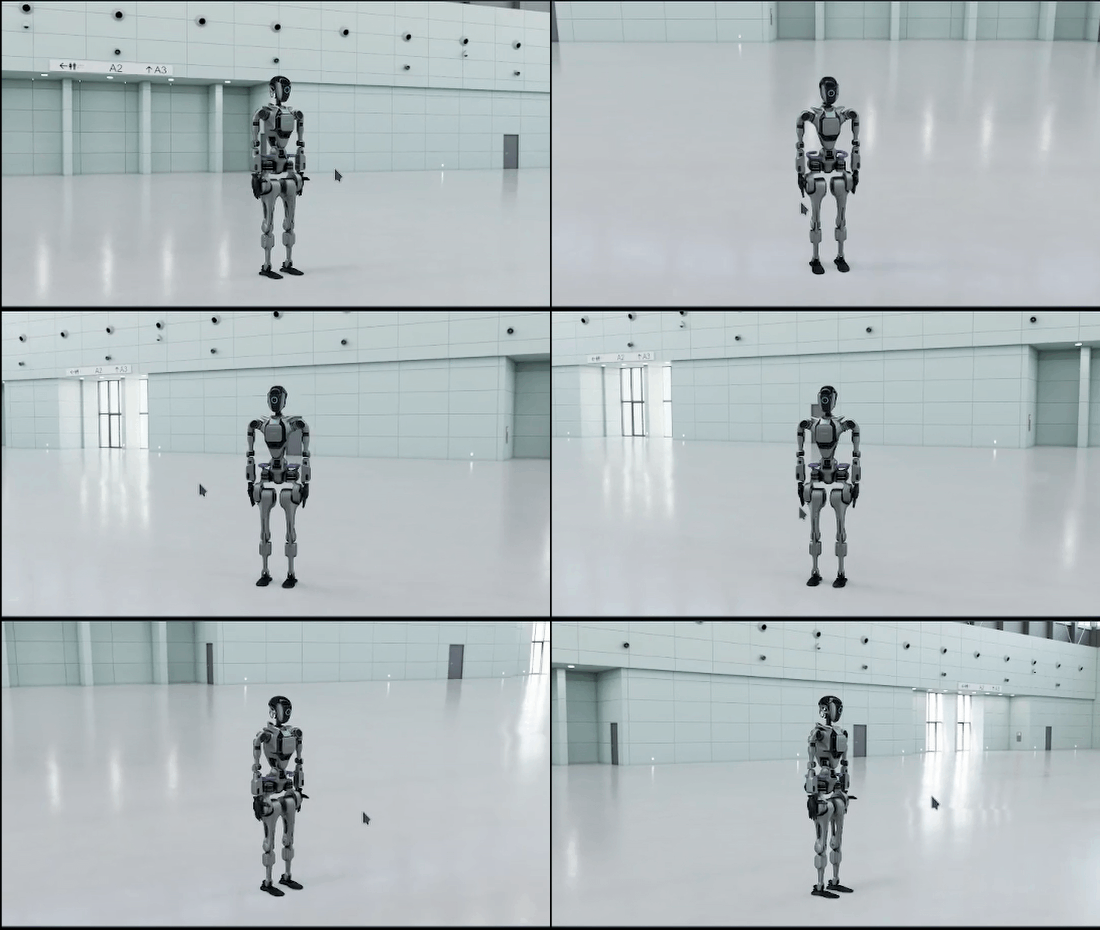
The example also demonstrates viewport picking, marquee selection, and styled selection rendering. Left-click picks the prim under the cursor, left-drag performs marquee selection with a Vulkan overlay rectangle, selected prim paths are printed to stderr, and selected prims are highlighted with a custom outline color and translucent fill.
Any scene used with picking must restrict the picked RenderProduct to CUDA-visible GPU 0 with uint[] deviceIds = [0].
Note
On Linux, the per-frame CUDA wait this example performs on the mapped output’s producer event is subject to a known driver scheduling interaction. The example applies the recommended workaround itself. Refer to CUDA and Vulkan Scheduling on Linux.
CUDA and Vulkan device selection#
CUDA device indices are process-visible ordinals after CUDA_VISIBLE_DEVICES is applied. Use the same ordinal for the ovrtx active-GPU configuration and the RenderProduct deviceIds. Resolve that ordinal once with the CUDA Driver API and obtain its exact device identity with cuDeviceGetUuid_v2():
bool cuda_get_device_uuid(int32_t device_id, CUuuid* out_uuid) {
    if (!out_uuid) {
        fprintf(stderr, "cuda_get_device_uuid: out_uuid must not be null\n");
        return false;
    }

    CU_CHECK(cuInit(0));

    CUdevice device;
    CU_CHECK(cuDeviceGet(&device, device_id));

    // Unlike the legacy entry point, cuDeviceGetUuid_v2 returns the subscribed
    // MIG compute-instance UUID when device is a MIG device.
    CU_CHECK(cuDeviceGetUuid_v2(out_uuid, device));
    return true;
}
Use cuDeviceGetUuid_v2() explicitly. On MIG systems, cudaGetDeviceProperties().uuid and the legacy cuDeviceGetUuid() can return the parent GPU UUID shared by sibling MIG devices. PCI bus identity is also parent-scoped and cannot identify a MIG instance.
Enumerate Vulkan physical devices and select the one whose VkPhysicalDeviceIDProperties::deviceUUID contains the same 16 bytes:
auto VulkanContext::_select_physical_device(const CUuuid& cuda_uuid, uint32_t requested_sampler_capacity) -> void {
    uint32_t device_count = 0;
    vkEnumeratePhysicalDevices(_instance, &device_count, nullptr);

    if (device_count == 0) {
        throw std::runtime_error("No Vulkan devices found");
    }

    std::vector<VkPhysicalDevice> devices(device_count);
    vkEnumeratePhysicalDevices(_instance, &device_count, devices.data());

    for (const auto& device : devices) {
        VkPhysicalDeviceIDProperties id_props = {};
        id_props.sType = VK_STRUCTURE_TYPE_PHYSICAL_DEVICE_ID_PROPERTIES;

        VkPhysicalDeviceProperties2 props2 = {};
        props2.sType = VK_STRUCTURE_TYPE_PHYSICAL_DEVICE_PROPERTIES_2;
        props2.pNext = &id_props;

        vkGetPhysicalDeviceProperties2KHR(device, &props2);

        printf("Vulkan device: %s\n", props2.properties.deviceName);

        if (uuid_matches(id_props.deviceUUID, reinterpret_cast<const uint8_t*>(cuda_uuid.bytes))) {
            printf("  -> Matches CUDA device UUID!\n");
            _physical_device = device;
            _timestamp_period = props2.properties.limits.timestampPeriod;

            // Query descriptor indexing limits
            const auto& limits = props2.properties.limits;
            uint32_t max_per_stage = limits.maxPerStageDescriptorSampledImages;
            uint32_t max_set_samplers = limits.maxDescriptorSetSamplers;
            uint32_t max_set_sampled_images = limits.maxDescriptorSetSampledImages;

            // Take minimum of requested capacity and all hardware limits
            _max_sampled_image_limit = std::min({max_per_stage, max_set_samplers, max_set_sampled_images});
            _max_sampled_image_descriptors = std::min(requested_sampler_capacity, _max_sampled_image_limit);

            printf("  Sampled image descriptor capacity: %u (limit: %u)\n",
                   _max_sampled_image_descriptors, _max_sampled_image_limit);
            return;
        }
    }

    throw std::runtime_error("No Vulkan device matches CUDA device UUID");
}
Each mapped CUDA output reports its actual process-visible ordinal in DLTensor.device.device_id. A simple application can validate it once against the configured device during initialization:
    if (dl.device.device_type != kDLCUDA || dl.device.device_id != CUDA_DEVICE_ID) {
        std::cerr << "Render output is on DLPack device type " << dl.device.device_type
                  << ", device " << dl.device.device_id << "; expected CUDA device "
                  << CUDA_DEVICE_ID << std::endl;
        ovrtx_unmap_render_var_output(renderer, rendered_output.map_handle, ovrtx_cuda_sync_t{});
        ovrtx_destroy_results(renderer, step_result_handle);
        return cleanup(1);
    }
For multi-GPU rendering, use each output’s device_id to route it to a Vulkan context cached for that CUDA ordinal.
“Create a C++ interactive viewer that renders ovrtx camera output directly into a Vulkan presentation path through CUDA interop, with GPU selection, GPU image mapping, exported-image copies, explicit synchronization, double buffering, orbit camera controls, finite-frame capture, and click or marquee picking with selection outlines.”
Build and Run#
Prerequisites
sudo apt install build-essential cmakeNVIDIA RTX-capable GPU
Supported NVIDIA driver
Internet access to download the default remote S3 scene asset
Unsandboxed runtime execution
If ovrtx or glfw3 are already installed and available through CMAKE_PREFIX_PATH, the local installations are used. Otherwise they are downloaded automatically at configure time. Other dependencies (GLM, volk, unordered_dense) are always downloaded using FetchContent.
Building
cmake -B build -DCMAKE_BUILD_TYPE=Release
cmake --build build
Running
./build/ovrtx-interop
For non-interactive validation without a GLFW window or Vulkan swapchain:
./build/ovrtx-interop --headless --num-frames 100
Prerequisites
NVIDIA RTX-capable GPU
Supported NVIDIA driver
Internet access to download the default remote S3 scene asset
Unsandboxed runtime execution
If ovrtx or glfw3 are already installed and available through CMAKE_PREFIX_PATH, the local installations are used. Otherwise they are downloaded automatically at configure time. Other dependencies (GLM, volk, unordered_dense) are always downloaded using FetchContent.
Building
cmake -B build
cmake --build build --config Release
Running
.\build\Release\ovrtx-interop.exe
For non-interactive validation without a GLFW window or Vulkan swapchain:
.\build\Release\ovrtx-interop.exe --headless --num-frames 100
Scene Configuration#
The example is configured to load the robot scene from Omniverse. Running the default configuration requires internet access to download this remote S3 scene asset:
Setting |
Value |
|---|---|
USD Scene |
|
Render Product |
|
Up Axis |
Z |
Units |
Meters |
Controls#
Right-click and drag — Rotate camera around the target point
Left-click — Pick the prim under the cursor and print its path
Left-click and drag — Marquee-select prims and print their paths
Mouse wheel — Dolly camera in/out
Licensing#
This example contains stb_image_write.h, © Sean Barrett, released under Public Domain.