

Terminology for Simulation Assets#
Building specifications for simulation assets is a modular process. These terms are defined by the SimReady specification framework being developed for submission to the Alliance for OpenUSD (AOUSD). They describe how asset specifications are structured in USD - from atomic rules to complete workflows.
Requirement#

A Requirement is the definition of an atomic simulation rule. An example of a Requirement could be as simple as “The UpAxis for geometry needs to be Z-Up”.
Important
Each Requirement must be validatable through code.
Capability#
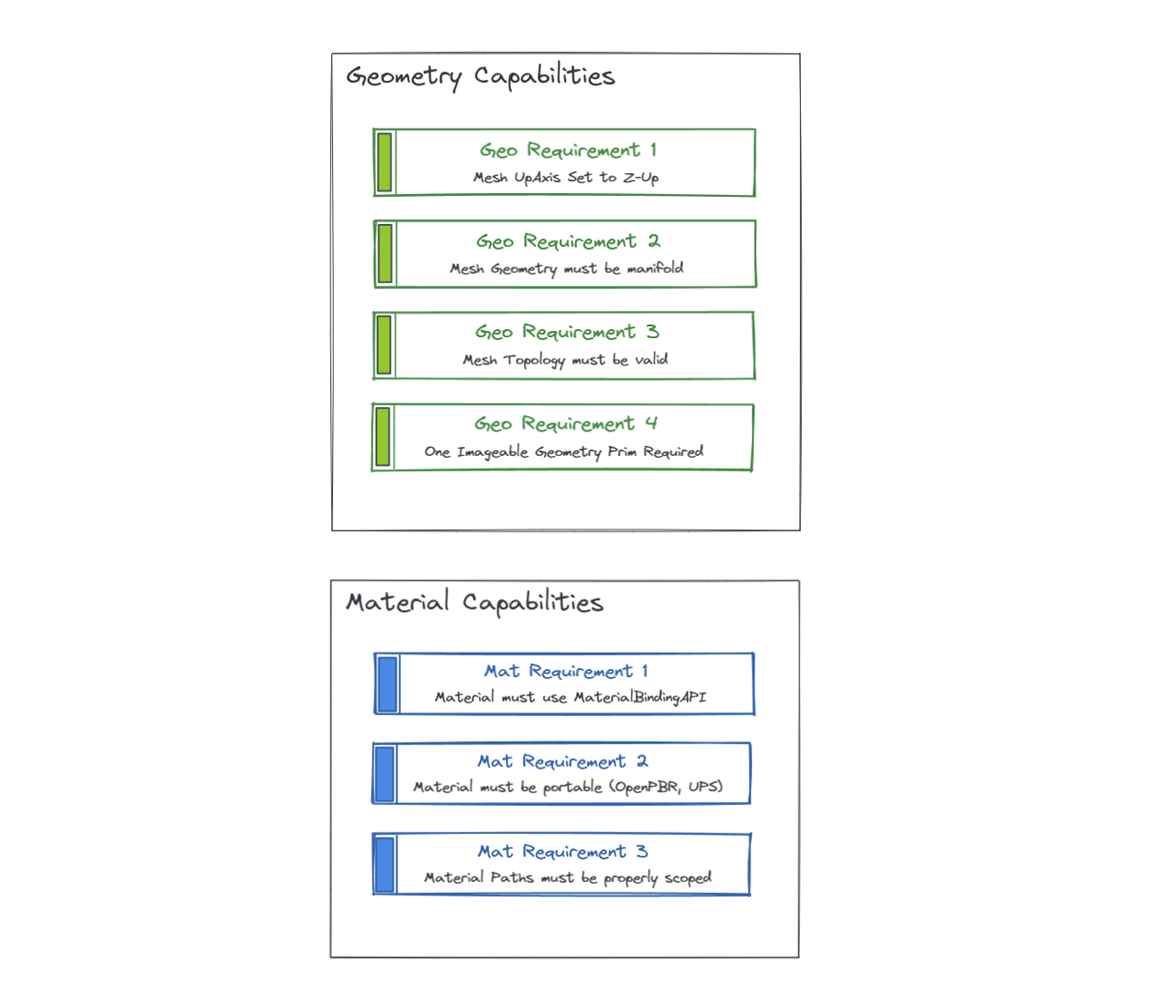
Capabilities are organizational buckets of Requirements that are generally related (such as Geometry Capabilities, Physics Capabilities, and others). Capabilities allow developers to group Requirements into logical containers. For example, “The Geometry Capability contains the various geometry Requirements.”
Feature#
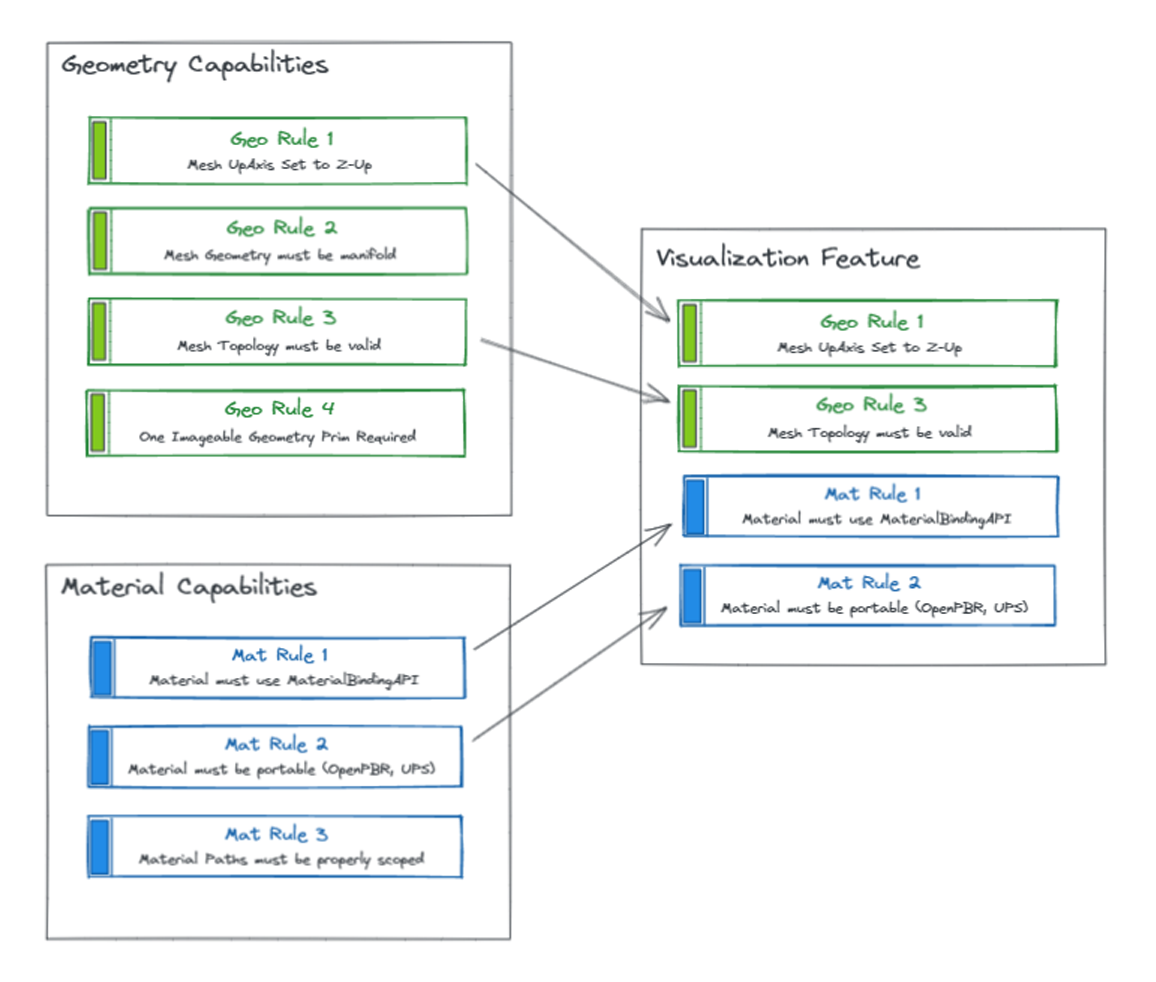
Features are groupings of Requirements that, together, ensure correct behavior for a particular runtime (such as rendering, physics, or ML pipelines). Features scope the logical behaviors of an asset, and different Features can share the same Requirements, but they always represent a specific contract to fulfill.
For example, you might have a Feature that includes multiple Requirements that define how a renderer will visualize an asset’s geometry.
Profile#
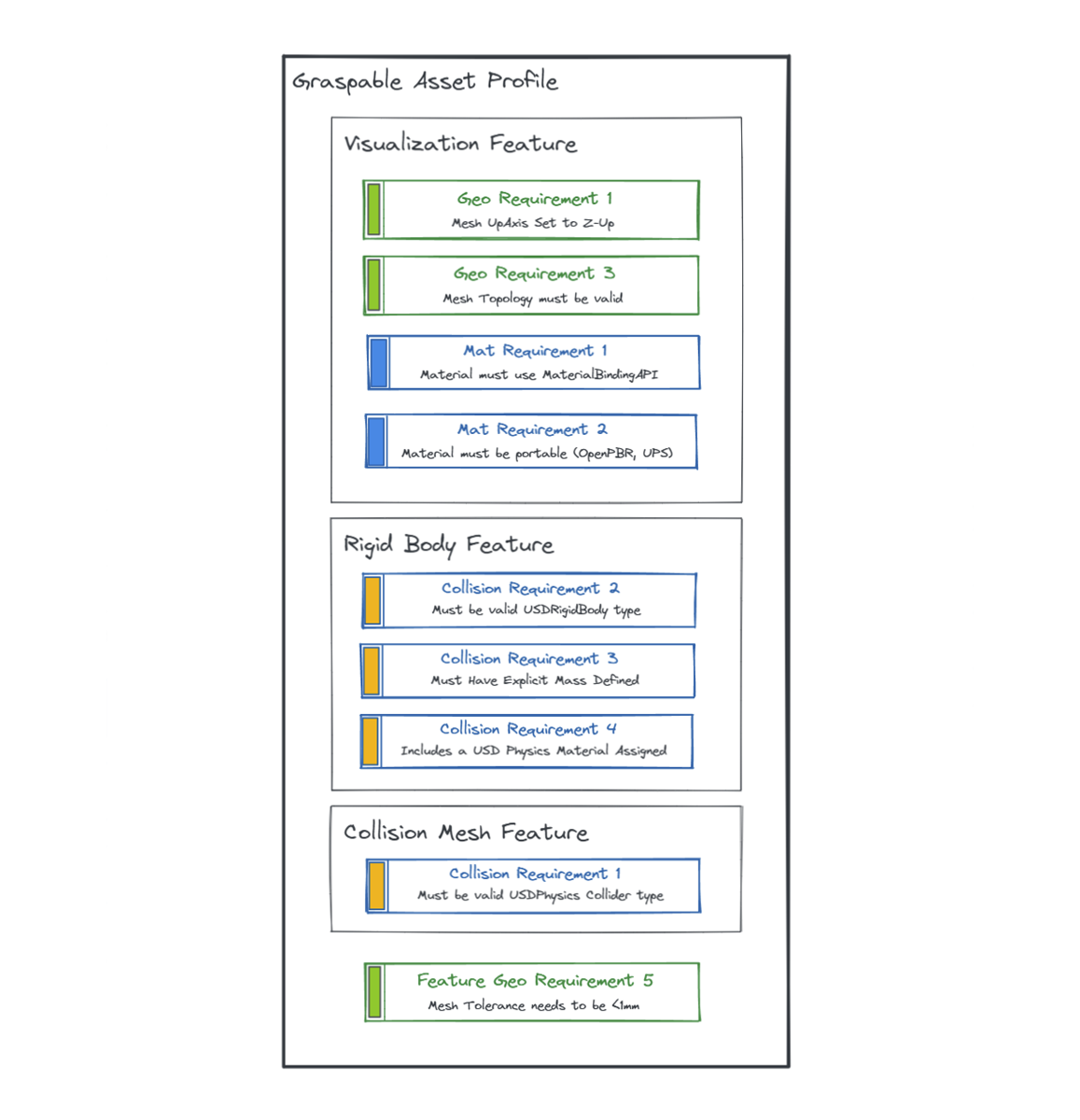
A Profile is a higher-level grouping of Features that define complete workflows (such as a Graspable Asset Profile).
Note
Profiles can define specialized Requirements that are crucial for a given workflow. For instance, for a Graspable Asset Profile, a developer might add a new Requirement stating that the Collision Mesh Tolerance must be less than 1 mm (high degree of precision).
SimReady Standardization#
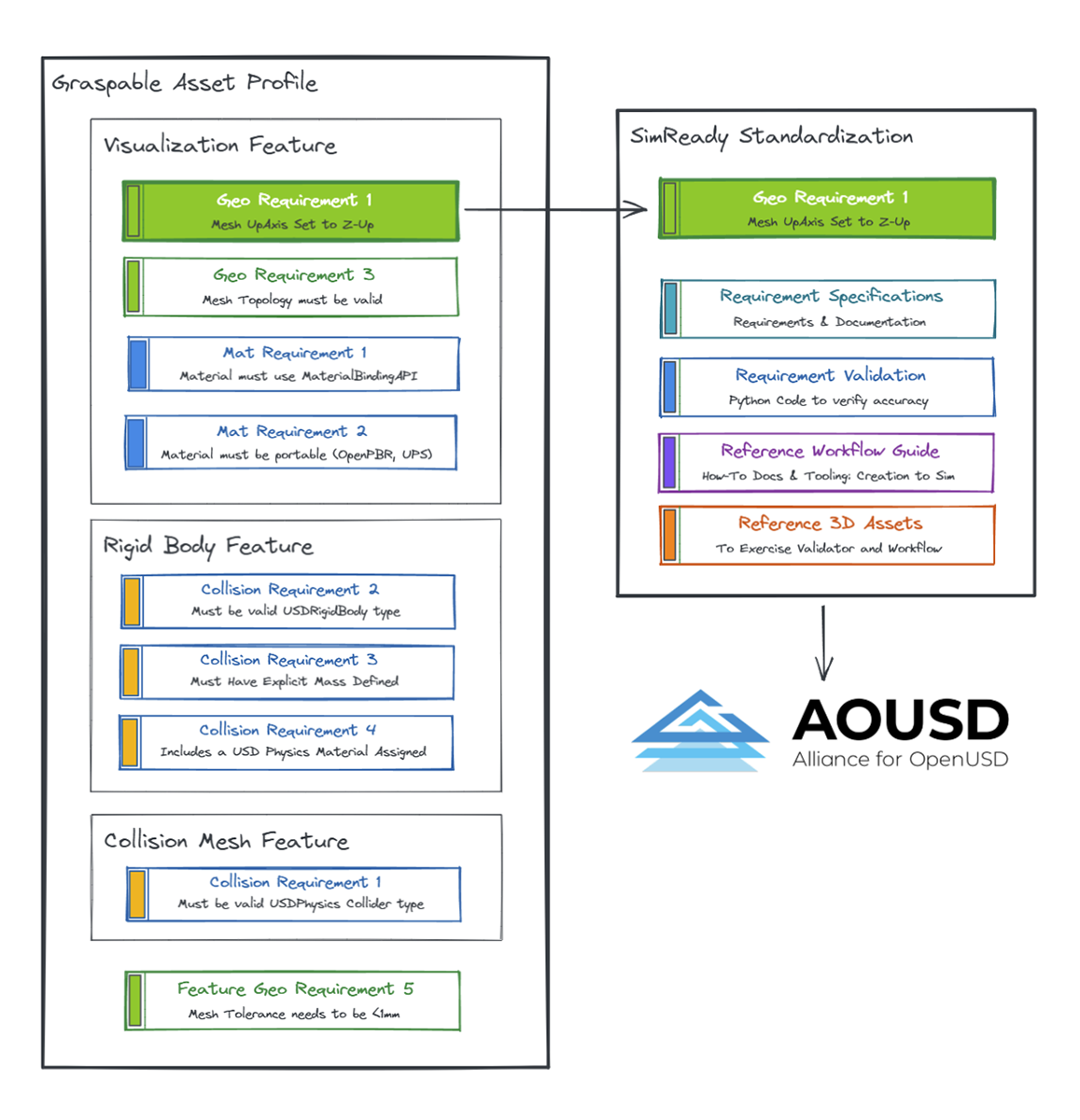
SimReady Standardization is the process that takes the Requirements, Features, and Profiles end-to-end and hardens them so they can be presented to AOUSD for consideration as part of the Core USD specifications. This process includes:
Creating the written spec docs in a normative way
Providing validation code that is useful both within and outside of Kit apps
Writing a reference workflow so anyone (creator or developer) can understand how to implement that Requirement, Feature, or Profile and go from creation to simulation output
Providing sample 3D assets to exercise and test the validation and to represent a Requirement, Feature, or Profile clearly
See also
What Is SimReady? - How SimReady applies these terms in practice
Validators - Validation rules that enforce these standards
Omniverse documentation
Capabilities - Full list of Requirements organized by Capability