

C: Minimal DLSS#
This example loads the same robot lineup scene as Python: Minimal DLSS, renders 32 frames to build DLSS history, and saves the final LdrColor image. The scene selects DLSS-SR and the Quality preset on its RenderProduct.
Change frame_count in main.cpp to adjust the number of render steps.
The example saves only the final frame and returns a nonzero exit status if the
PNG cannot be saved.
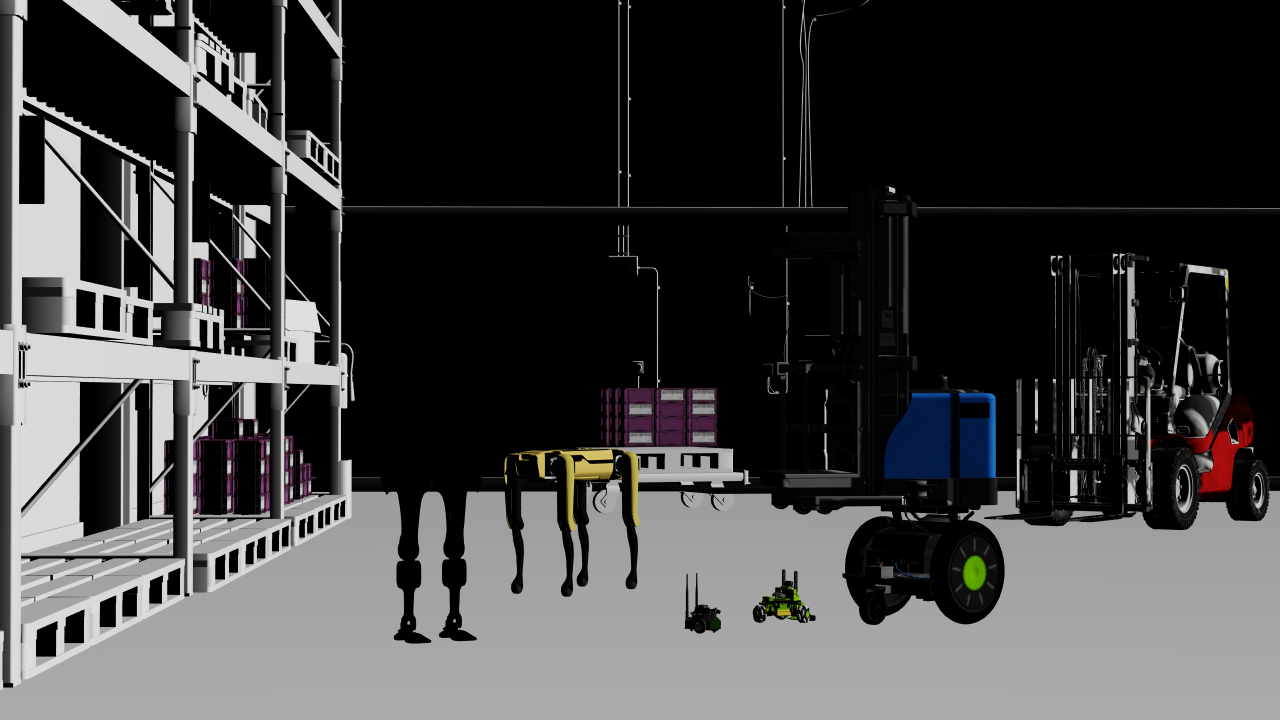
The shared scene rendered with DLSS-SR and Quality. The Python and C examples use the same camera, shading, and output resolution.#
Internet access is required to load the scene’s robot and warehouse assets. Build and run from the C example directory:
cd examples/c/minimal-dlss
cmake -B build -DCMAKE_BUILD_TYPE=Release
cmake --build build --config Release
./build/minimal-dlss ../../python/minimal-dlss/minimal_dlss.usda minimal-dlss.png
On Windows, run build\Release\minimal-dlss.exe with the same two arguments.
The first argument is the USD scene and the second is the output PNG path.
To choose another DLSS mode, author the controls described in
Anti-Aliasing and DLSS on the scene’s RenderProduct.
The snippet below loads the USD scene into an attached runtime stage and waits for its authored settings to become available before rendering:
// The USD layer authors the Minimal DLSS controls on /Render/Camera.
ovstage_population_enqueue_result_t populate_result =
    ovstage_population_open_usd_from_file(
        stage,
        {usd_url, strlen(usd_url)},
        stage_ordinal,
        OVSTAGE_POPULATION_DEFAULT_TIME,
        OVSTAGE_POPULATION_DOMAIN_RENDERING);
if (wait_population_op(
        stage, populate_result, "population_open_usd_from_file") ||
    commit_ovstage_ordinal(stage, stage_ordinal)) {
    return cleanup(1);
}
The following snippet requests the camera RenderProduct and waits for one frame. The complete example repeats this step 32 times, maps the color image, and releases each frame’s results before continuing. It keeps the same renderer for the full sequence so DLSS can reuse temporal history.
// We render a frame by stepping the renderer.
//
// Any sensors whose exposures end during this step will generate a
// frame that will be available in the step result. Since the camera in
// the loaded USD layer is instantaneous (does not specify motion blur
// or rolling shutter), it will generate a frame every time the render
// is stepped.
//
// To step the renderer we need to tell ovrtx which RenderProducts we're
// interested in, which in this case is the RenderProduct we defined in
// the loading layer.
ovrtx_render_product_set_t render_products = {};
ovx_string_t render_product_str = {"/Render/Camera",
                                   strlen("/Render/Camera")};
render_products.render_products = &render_product_str;
render_products.num_render_products = 1;

// Keep temporal history between steps; save the final frame after
// warmup.
ovrtx_step_result_handle_t step_result_handle = 0;
ovrtx_enqueue_result_t enqueue_result =
    ovrtx_step_with_stage(renderer,
                          render_products,
                          1.0 / 60.0,
                          stage_ordinal,
                          &step_result_handle);
if (check_and_print_error(enqueue_result, "step")) {
    return cleanup(1);
}

// Wait for the render to complete. Here we'll just block until it's
// done.
ovrtx_op_wait_result_t wait_result{};
result = ovrtx_wait_op(renderer,
                       enqueue_result.op_index,
                       ovrtx_timeout_infinite,
                       &wait_result);
if (check_and_print_error(result, "wait_op")) {
    ovrtx_destroy_results(renderer, step_result_handle);
    return cleanup(1);
}
if (wait_result.num_error_ops != 0) {
    std::cerr << "Rendering reported " << wait_result.num_error_ops
              << " failed operations." << std::endl;
    ovrtx_destroy_results(renderer, step_result_handle);
    return cleanup(1);
}