

Python: SPG Scene Query#
An SPG node that reads the scene it runs in. Its launch script asks for the render product it
sits under, takes the camera that product is bound to, reads the camera’s lens values and world
transform, and looks up the world position of every marker a prim of the scene lists. The kernel
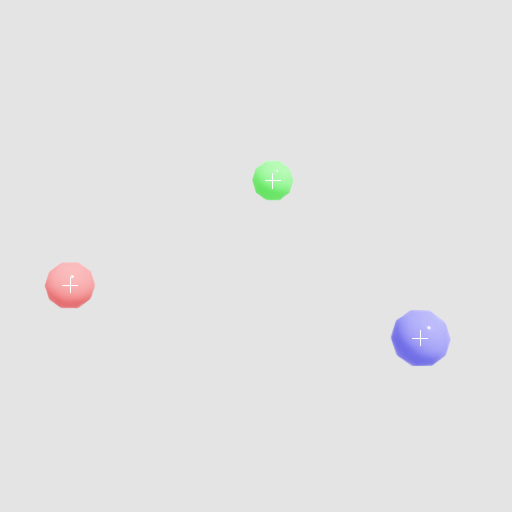
projects each marker into the camera image and draws a crosshair on it, over the renderer’s
LdrColor. Nothing in the node names a camera or a marker.
“Write an SPG node that draws a crosshair on chosen scene prims, working out where they land from the camera’s transform and lens values read inside the launch script.”
Prerequisites#
Python 3.10-3.13
An NVIDIA RTX-capable GPU and a supported driver
Running#
uv run main.py                                    # CUDA
uv run main.py --scene overlay_scene_slang.usda   # Slang
The first step compiles the kernel and can block for up to a minute on a fresh shader cache. A
successful run writes _output/color.png, the rendered image, and _output/overlay.png, the
same image with a white crosshair on each marker.
The Launch Script#
Everything the kernel needs about the scene is read here and handed in as kernel arguments.
-- The render product this node sits under, and the camera it is bound to. The camera is a
-- prim table: its attributes read by name, its two transforms by field.
local product = rtx.product
local camera = product.cameras[1]
local cameraWorld = camera.world_matrix
local focalLength = camera["focalLength"]
local horizontalAperture = camera["horizontalAperture"]
local verticalAperture = camera["verticalAperture"]

-- A prim of the scene's own, by the path a value-input carries. Its relationship reads as
-- a list of path strings, its float as a number.
local settings = rtx.stage.prim(settingsPath)
local markerPaths = settings["markers"]
local crosshairSize = settings["crosshairSize"]

-- Many prims, one attribute each: a batch query reads exactly what it names. A world
-- transform is flat and row-major, so a prim's position is entries 13 to 15.
local markers = rtx.stage.query_attributes(markerPaths, { WORLD_MATRIX })
local markerPositions = {}
for _, path in ipairs(markerPaths) do
    local marker = markers[path]
    local world = marker[WORLD_MATRIX]
    markerPositions[#markerPositions + 1] = world[13]
    markerPositions[#markerPositions + 1] = world[14]
    markerPositions[#markerPositions + 1] = world[15]
end
The settings prim /World/Overlay holds custom attributes the renderer has no use for, so
main.py opens the scene with a description that publishes them alongside the renderer’s own
content:
# Loading a scene publishes what the renderer needs of its prims. /World/Overlay is a prim of
# this scene's own, and its custom attributes arrive only because the load names it.
print(f"Loading {args.scene}...", file=sys.stderr)
ordinal = 1
settings = ovstage.population.Selector(
    prim_predicate=ovstage.population.PrimPredicate.has_path(SETTINGS_PRIM),
    property_predicate=ovstage.population.PropertyPredicate.all(),
)
ovstage.population.open_usd_with_desc(
    stage,
    str(args.scene),
    ordinal=ordinal,
    time=ovstage.population.DEFAULT_TIME,
    descs=[ovstage.population.Desc(domains=ovstage.PopulationDomain.RENDERING, selectors=[settings])],
)
stage.advance_write_floor(ordinal, ovstage.Scope.ALL).wait()
Refer to Read the Scene for the task-by-task guide and The rtx Lua Table for every call.