

Physical Lighting#
Overview#
Physical lighting lets you describe light color and brightness using measured quantities. You can specify luminous power in lumens, target illuminance in lux, or an illuminant spectrum. This is useful when matching product datasheets, on-set measurements, or real lighting conditions.
The physical-lighting schemas are codeless API schemas supplied with ovrtx. Apply the schema that matches the light type:
API schema |
Supported light types |
Provides |
|---|---|---|
|
Rect, Sphere, Disk, Cylinder, Dome, and Distant |
Spectral illuminant selection without photometric brightness controls. |
|
Rect, Sphere, Disk, and Cylinder |
Power in lumens or target illuminance in lux at a distance in meters. |
|
Dome |
Illuminance in lux on an upward-facing surface. |
|
Distant |
Illuminance in lux on a surface perpendicular to the light. |
Each photometric schema automatically applies PhysicalLightIlluminantAPI.
You do not need to apply both schemas yourself.
Illuminants#
An illuminant describes the spectrum emitted by a light. In RGB rendering, ovrtx converts that spectrum to a color. In spectral rendering, ovrtx samples the spectrum directly. See Spectral Rendering for the required startup configuration and paired RGB/spectral comparisons.
USD declaration |
Description |
|---|---|
|
Selects |
|
Ordered wavelength and radiance pairs. Wavelengths are in nanometers and must increase monotonically. Values outside the supplied wavelength range emit no energy. |
The following comparison holds luminous power constant while changing the illuminant:
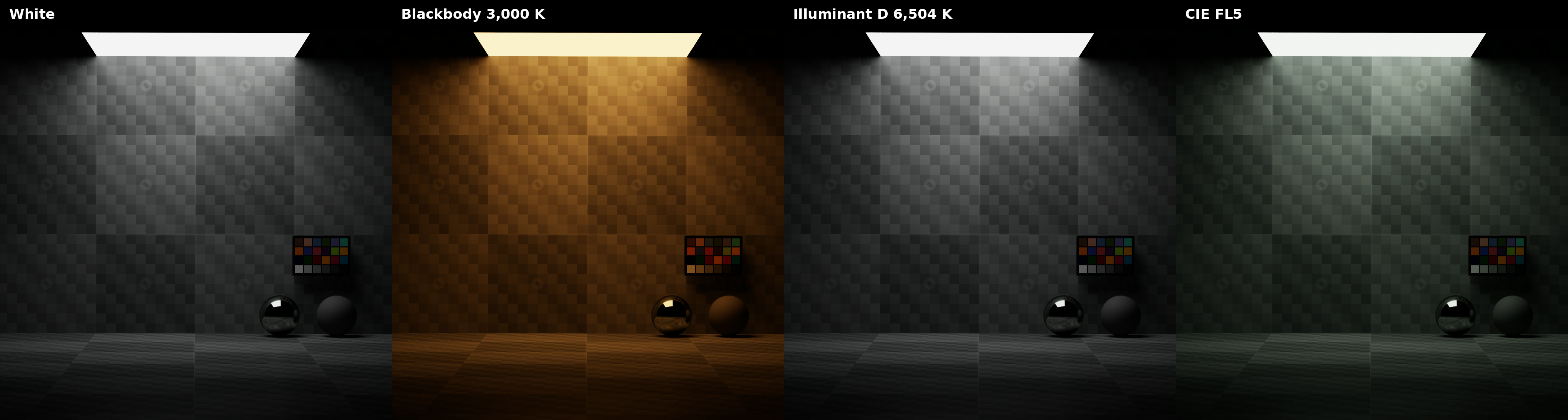
Illuminant selection changes spectral color while photometric power remains constant.#
blackbody and illuminant D use inputs:colorTemperature as their
temperature in Kelvin. They do not require inputs:enableColorTemperature.
The custom mode uses physical:customIlluminant. The white mode
matches the white point of the rendering color space.
Area-Light Power#
PhotometricAreaLightAPI supports total luminous power:
USD declaration |
Description |
|---|---|
|
Total luminous flux in lumens. Must be non-negative. |
The renderer accounts for source size, shape, color, illuminant, and shaping when converting power to emitted radiance. Changing those properties therefore does not change the requested total luminous flux.
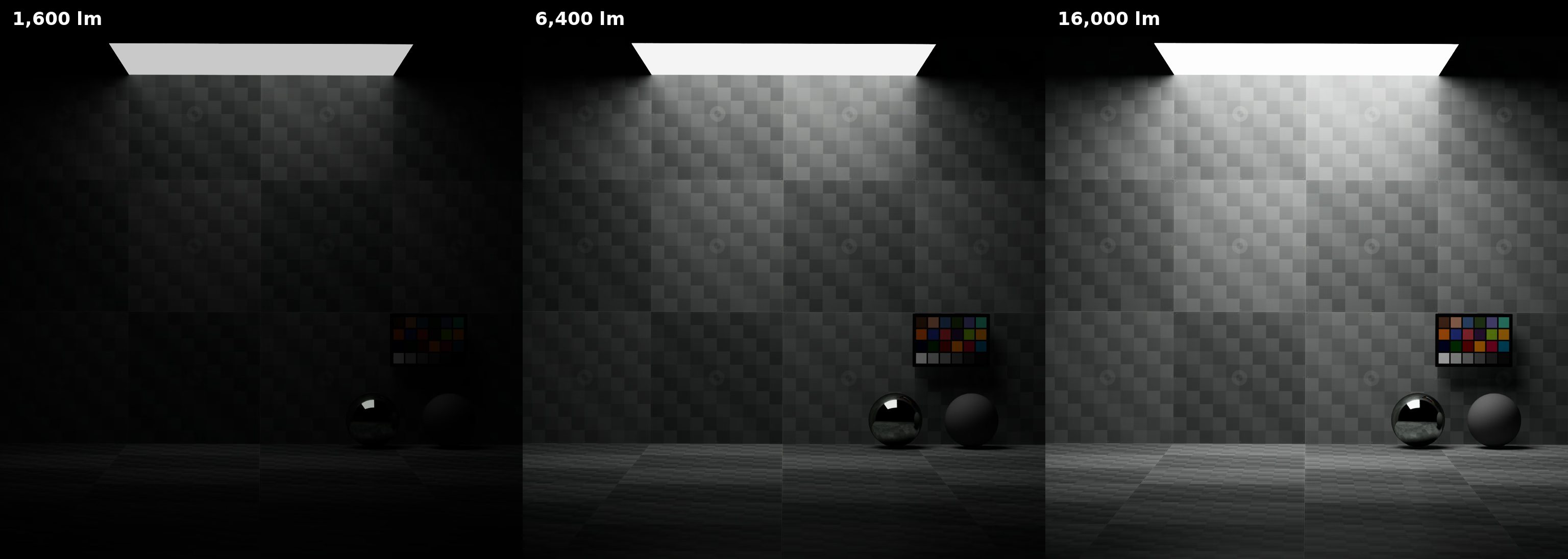
Increasing photometric power increases total light output in lumens.#
Warning
Applying PhotometricAreaLightAPI gives the light its 1600-lumen schema
fallback even when you do not author photometric:power.
Area-Light Illuminance At Distance#
You can target a measured illuminance instead of total power:
USD declaration |
Description |
|---|---|
|
Target illuminance in lux on a surface directly facing the light. Must be non-negative. |
|
Distance from the light to the measurement surface in meters. A positive value enables the illuminance target. |
When both values are positive, the illuminance target takes precedence over
photometric:power. Set power to zero when authoring this mode so your intent
is explicit.
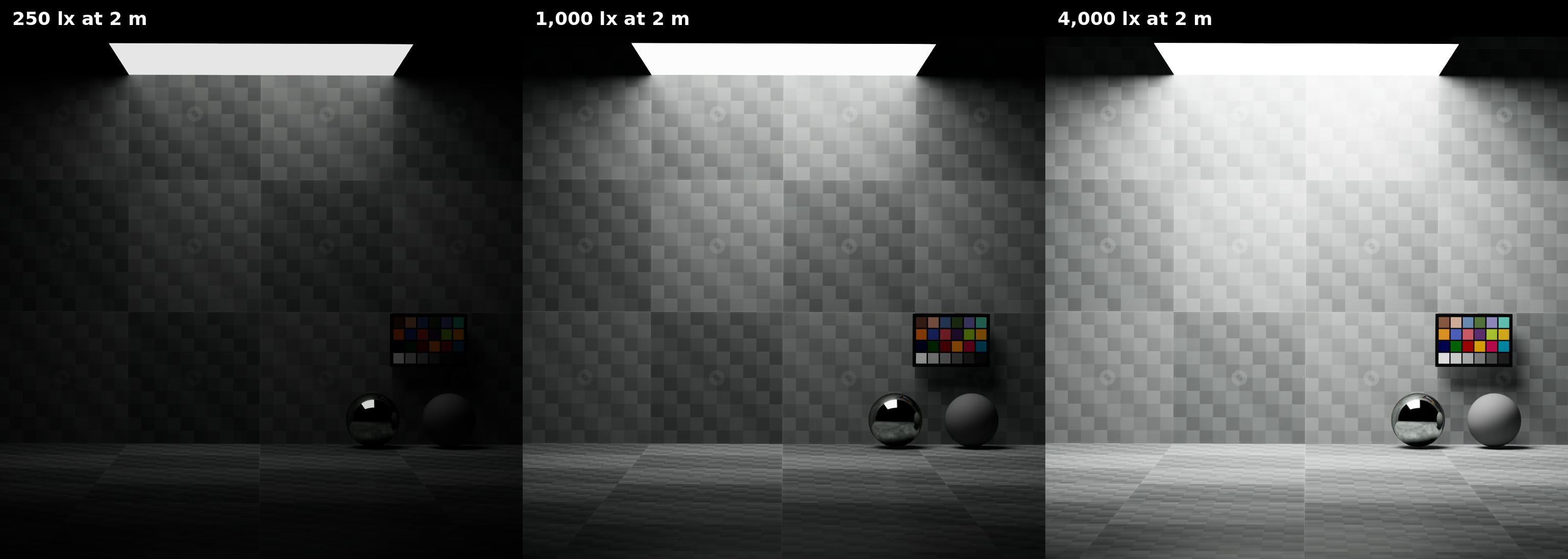
Illuminance sets the light level measured at the reference distance.#
Increasing the reference distance requires more output to maintain the same illuminance at that distance:
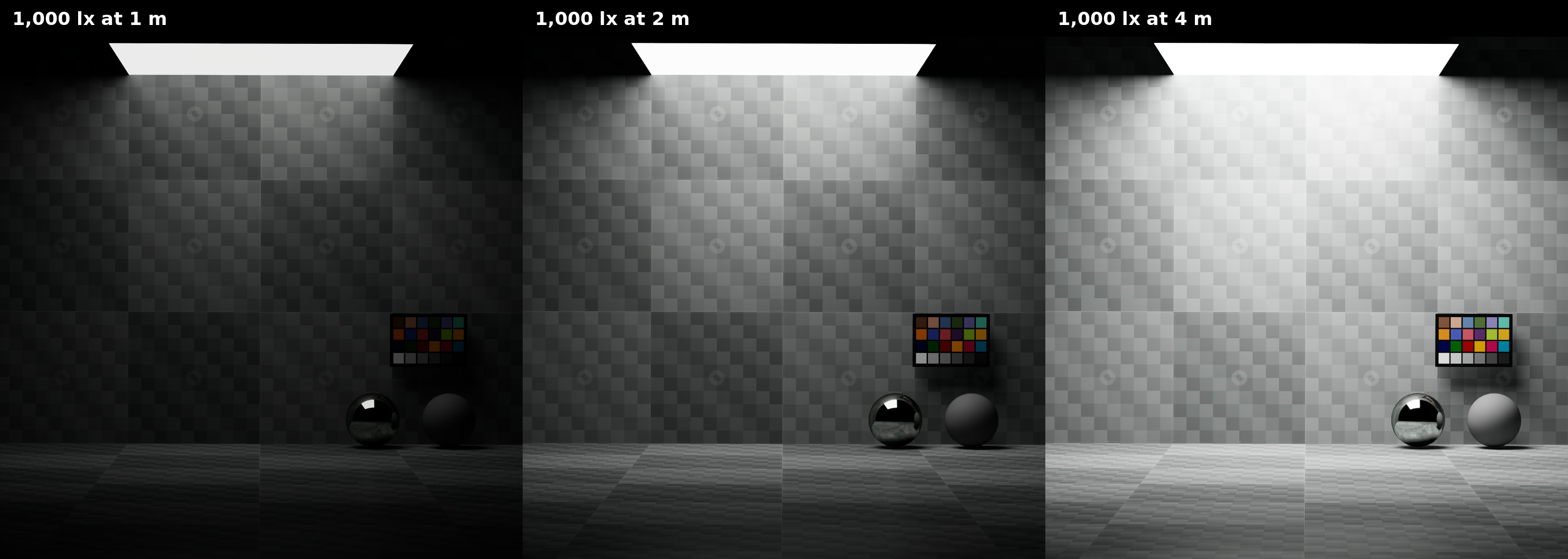
A farther reference distance produces a brighter source for the same target lux value.#
Dome And Distant Illuminance#
Dome and distant lights use illuminance without a reference distance:
USD declaration |
Description |
|---|---|
|
On |
|
On |
IES Profiles And Physical Units#
UsdLux uses an IES file as an angular distribution. On its own, it does not
define the profile’s sampled candela values as the light’s measured output.
inputs:shaping:ies:normalize controls whether that distribution is
normalized to preserve the light’s existing energy.
Apply PhysicalLightIlluminantAPI directly to use the measured candela
values from the IES file. This changes IES processing in these ways:
ovrtx converts the profile’s candela values to emitted radiance using the area of the light source.
inputs:intensityremains a linear multiplier andinputs:exposureremains a base-2 multiplier. Use intensity 1 and exposure 0 to preserve the measured magnitude.The API does not force IES normalization. Set
inputs:shaping:ies:normalizeto false to preserve the measured candela values. When it is true, ovrtx divides the samples by the profile’s integrated power, so their original measured magnitude is not preserved.
PhotometricAreaLightAPI automatically applies
PhysicalLightIlluminantAPI, but it also supplies a default
photometric:power of 1600 lumens. A positive power target forces correct
IES unit conversion and normalization regardless of
inputs:shaping:ies:normalize. In that mode, the IES profile controls only
the angular distribution and photometric:power controls total luminous
flux.
To make the IES file’s measured candela values determine brightness, apply only
PhysicalLightIlluminantAPI, set inputs:intensity to 1,
inputs:exposure to 0, and set inputs:shaping:ies:normalize to false.
Use PhotometricAreaLightAPI when the IES distribution should be normalized
and rescaled to a separately specified lumen value.
Interactions With Other Controls#
The photometric target determines brightness while preserving the chromaticity
from inputs:color and the selected illuminant. inputs:diffuse and
inputs:specular continue to control material response.
An IES profile from Shaping & IES defines angular distribution. Its brightness behavior depends on the physical-lighting schema as described in IES Profiles And Physical Units.
Further Reading#
Refer to Common Attributes for color and material response controls, and Shaping & IES for angular emission profiles.