

Spectral Rendering#
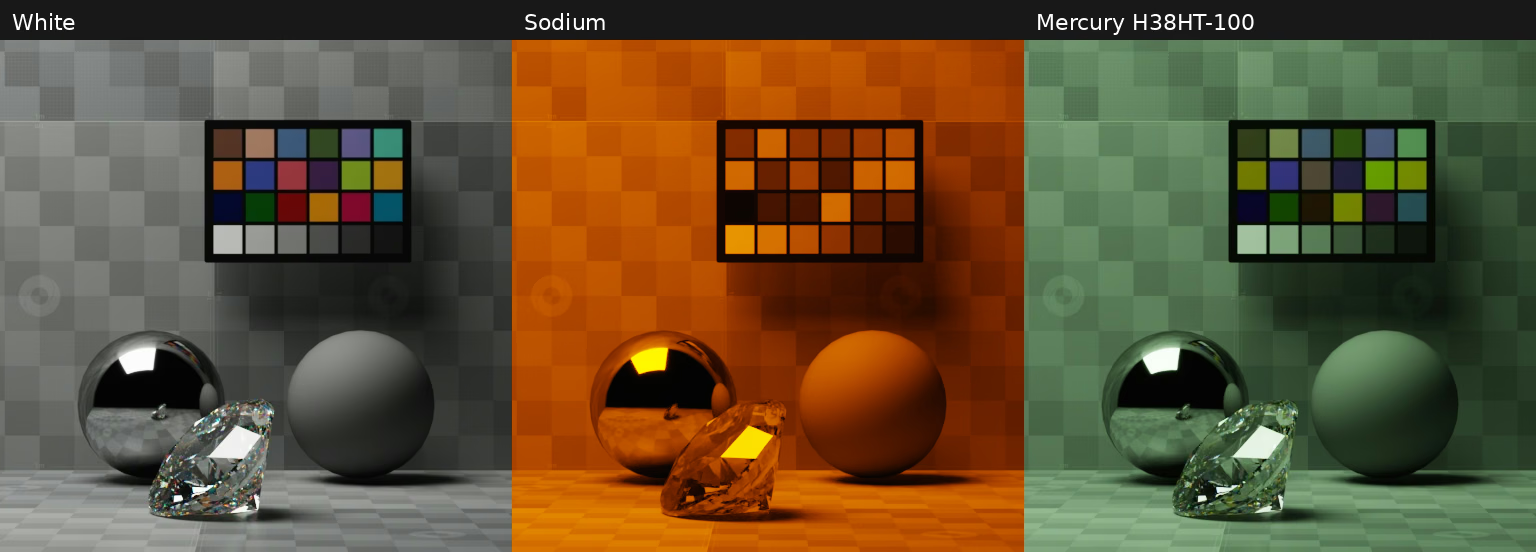
Spectral rendering samples light transport over a continuous spectrum to produce an RGB image according to the response of the camera. This produces much more accurate simulation of color, particularly in the presence of high-frequency illuminant spectra.
In the current version, there is no way to specify spectral material response: all material colors are uplifted from RGB to the spectral domain during rendering.
Enable Spectral PathTracing#
Spectral rendering is off by default. Enable spectral support when creating
the first renderer in a process, then
explicitly author spectral tracing on its PathTracing RenderProduct, as
shown below. The startup option prepares the spectral material backend and
physical light spectra. It also sets the spectral-enabled default to true;
the examples author that choice explicitly on the RenderProduct.
The following example snippets configure the renderer before loading a scene.
transport is the example’s rgb or spectral command-line selection:
# Select the process-wide material backend before creating any renderer.
config = ovrtx.RendererConfig(
    enable_spectral_rendering=args.transport == "spectral",
    log_file_path=str(args.log),
)
renderer = ovrtx.Renderer(config=config)
// Select the process-wide material backend before creating any renderer.
ovrtx_config_entry_t entries[] = {
    ovrtx_config_entry_enable_spectral_rendering(transport == "spectral"),
};
ovrtx_config_t renderer_config{entries, 1};

ovrtx_result_t result = ovrtx_register_schema_paths(&renderer_config);
if (failed(result, "register_schema_paths") ||
    failed(ovrtx_create_renderer(&renderer_config, &renderer),
           "create_renderer")) {
    return 1;
}
Warning
The startup choice cannot change within a process, including after destroying every renderer. Omit the option on later instances to inherit the first choice. Run RGB and spectral comparisons in separate processes. Do not mix RGB and spectral RenderProducts in the same scene: physical light spectra are prepared for the scene as a whole.
Spectral tracing is supported in PathTracing. Real-Time Path-Tracing and Minimal do not use it. A spectral RenderProduct attribute alone does not initialize spectral support.
Spectral Controls#
Author these custom attributes on the RenderProduct. They currently have no applied settings schema; the values below are base renderer defaults rather than USD schema fallbacks. The startup option changes the enabled default to true.
USD declaration |
Behavior |
|---|---|
|
Enables spectral tracing in PathTracing after startup support is enabled. |
|
Lower wavelength limit in nanometers. |
|
Upper wavelength limit in nanometers. |
|
CIE observer: 0 selects 1931 2-degree; 1 selects 1964 10-degree. |
The wavelength limits are clipped to the available response curve. The built-in CIE response covers approximately 360–830 nm; the broad default limits do not imply an infrared response. Keep the lower limit below the upper limit. The examples use 360–830 nm and the default CIE 1931 observer.
The output is still a color image, not a spectral cube. Read HdrColor for numerical comparisons before tone mapping, or LdrColor for display.
RGB And Spectral Comparisons#
The examples reuse the rect-light scene with its color chart and material spheres, with a closer camera view to make the color patches easier to compare. A dispersive diamond sits in front of the spheres. Its material uses an index of refraction of 2.4187 and an Abbe number of 55.3. Every image uses the same camera, fixed exposure at ISO 400, 6400-lumen rect light, 4096 samples per pixel, and a maximum of 32 path bounces. Denoising and firefly filtering are enabled, with glossy, diffuse, and emissive firefly thresholds all set to 10,000. Adaptive sampling and radiance caching are disabled. Only the illuminant and transport selection change.
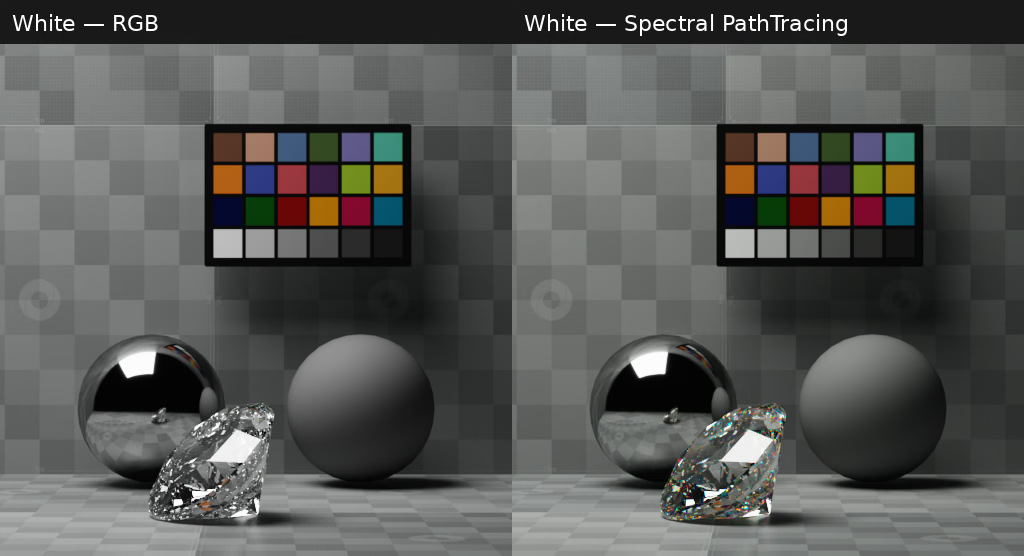
White illumination uses the rendering color space white point (D65 in this case). RGB and spectral rendering are very similar with a smooth illuminant, apart from the dispersive diamond refractions.#
Low-pressure sodium concentrates most of its light in a narrow yellow band. The mercury-vapor spectrum has strong violet, blue, green, and yellow peaks. These spiky spectra make the differences between RGB and spectral transport easier to see.
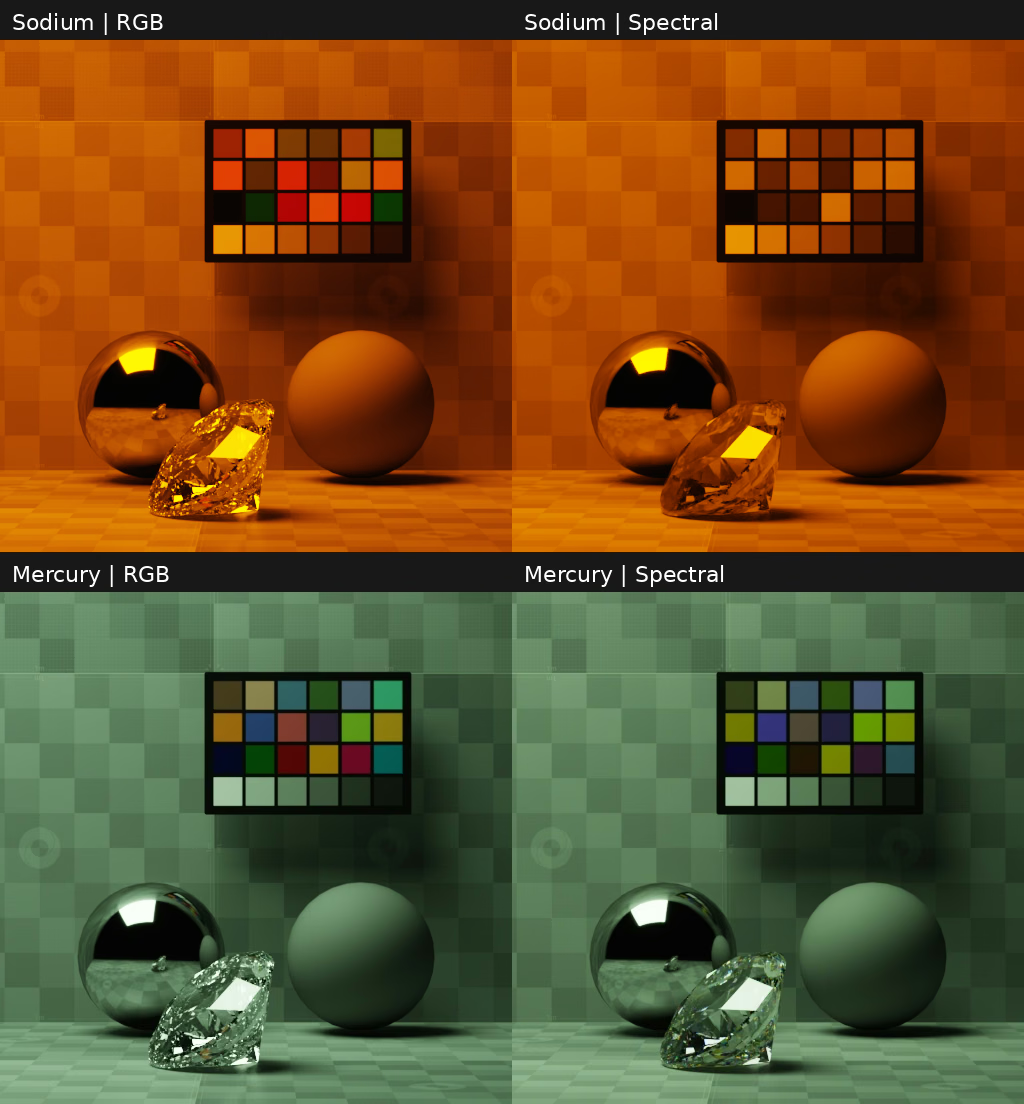
Low-pressure sodium above, mercury vapor below. RGB is on the left; spectral PathTracing is on the right. Compare the chart patches and colored reflections.#
Camera Responsivity Comparison#
PhysicalCameraResponsivityAPI replaces the default CIE 1931 observer with
three camera-channel sensitivity curves in spectral PathTracing. Ordinary RGB transport
does not use these curves. Apply the API to a Camera and supply these attributes:
USD declaration |
Behavior |
|---|---|
|
Red-channel wavelength/response pairs; wavelength is in nanometers. |
|
Green-channel wavelength/response pairs. |
|
Blue-channel wavelength/response pairs. |
|
Converts camera channels to CIE XYZ. A zero matrix selects automatic calibration; nonzero matrices, including identity, are used unchanged. |
|
Selected whitepoint temperature in kelvin for sensor-channel white balance. Nonpositive or nonfinite values disable adaptation. |
Provide a responsivity curve for each of the camera’s red, green, and blue
sensor responses using physical:responsivity:r, physical:responsivity:g,
and physical:responsivity:b. Each curve needs at least two
(wavelength in nanometers, response) pairs, ordered by increasing wavelength.
The renderer converts these three sensor responses into the output color space
to produce a color image.
When cameraToXYZ is zero (its schema default), RTX fits a matrix
from the supplied curves and 190 reference reflectances under 6504 K CIE daylight.
The fit preserves the daylight whitepoint and is cached until the curves change.
It does not depend on scene lights or colorTemperature. The schema’s default
CIE XYZ curves reproduce identity within numerical precision. Responses with
insufficient independent channels cannot be fitted and retain identity.
White balance is separate from calibration. RTX integrates the selected illuminant against the camera responsivities, then applies diagonal gains in sensor-channel space before camera-to-XYZ and rendering-color-space conversion. The selected white maps to equal output RGB values while preserving its CIE Y luminance. This does not estimate scene illumination. Positive temperatures clamp to 1667–25000 K: blackbody below 4000 K, daylight above 5000 K, and a smooth blend of unit-luminance spectra between. The default 6504 K selects daylight near D65. Invalid temperatures, singular transforms, or nonpositive white responses bypass white balance. XYZ output uses equal XYZ components as its neutral target.
The camera example uses the original Canon EOS 5D and Sony α7 IV (ILCE-7M4) profiles from the rawtoaces camera database. Both have 81 samples from 380–780 nm at 5 nm spacing. The baseline camera has no responsivity API and uses the renderer’s default CIE 1931 observer.
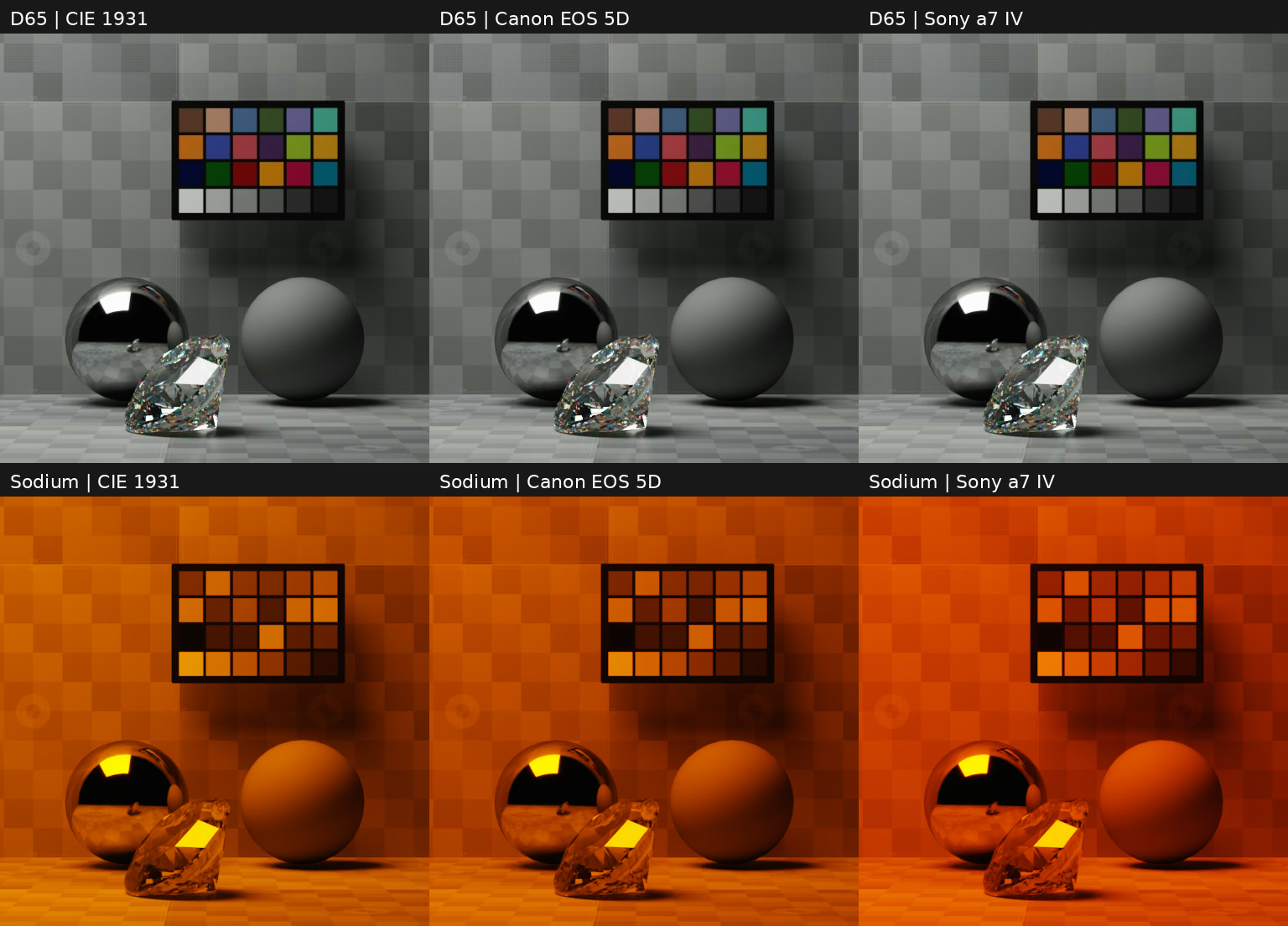
D65 daylight above, sodium below. Columns show CIE 1931, Canon EOS 5D, and Sony α7 IV. All six images use spectral PathTracing, 4096 samples per pixel, the same camera geometry and exposure, and 6400 lumens of light. Camera response and its fixed display calibration are the only camera differences.#
Run the comparison from the Python: Spectral Rendering or C: Spectral Rendering example.