

Shaping & IES#
Overview#
Apply UsdLuxShapingAPI to an area light when you need to concentrate,
limit, or tint its angular emission. You can shape emission procedurally with
focus and cone controls, or use an IES profile measured from a real luminaire.
Shaping changes where a light sends its energy. The light’s dimensions and common intensity, exposure, color, and normalization controls still determine its source geometry and base emission.
Cone And Focus#
Cone controls limit emission around the light’s primary axis. Focus
concentrates emission toward that axis without establishing a hard cutoff.
The default primary axis is local -Z. Sphere and cylinder lights emit on both
sides unless a cone restricts them. Use omni:rtx:shaping:forwardAxis to
orient shaping in local space without rotating the light prim.
USD declaration |
Description |
|---|---|
|
Angular cutoff from the primary axis, in degrees. Emission outside the cone is zero. |
|
Unitless edge transition. Use 0 for a hard cutoff and values through 1 for an increasingly smooth transition. |
|
Unitless exponent. Higher non-negative values concentrate emission toward the primary axis. |
|
Color applied away from the focused axis. The default fades off-axis emission toward black. |
|
Local shaping and IES axis: |
Cone Angle#
The following comparison reduces cone angle from 90 to 30 degrees:
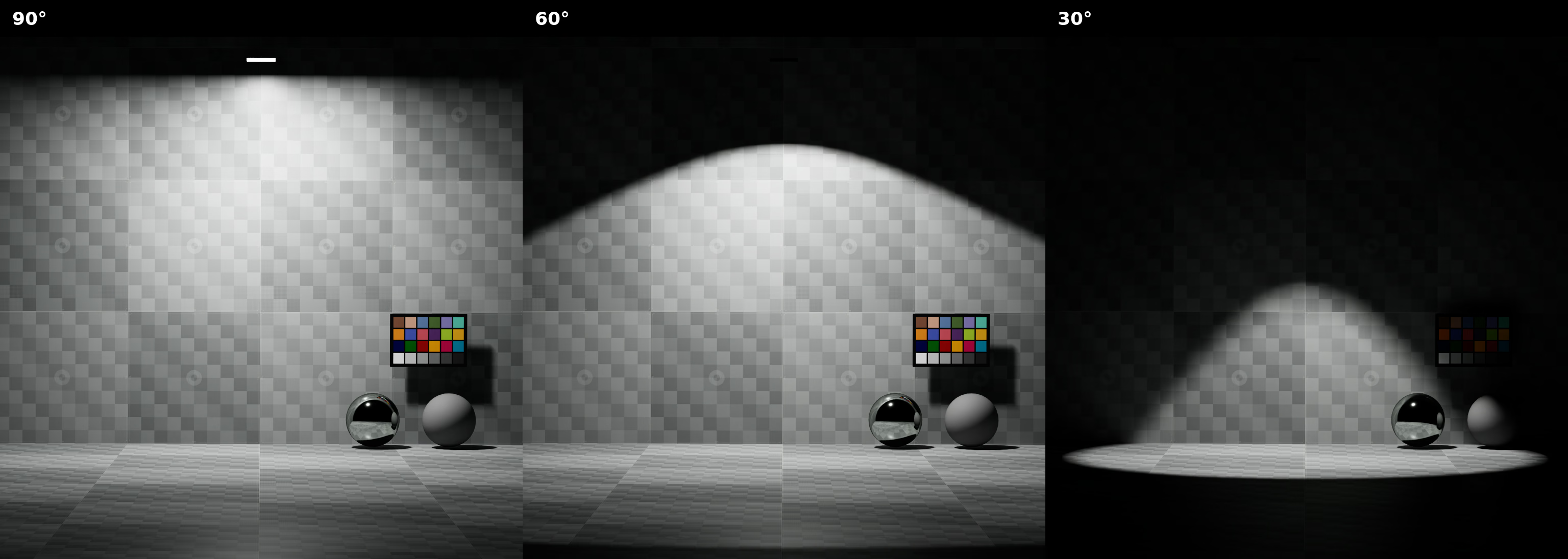
Smaller cone angles restrict emission to a narrower region.#
Cone Softness#
The following comparison increases cone softness while holding cone angle at 35 degrees:
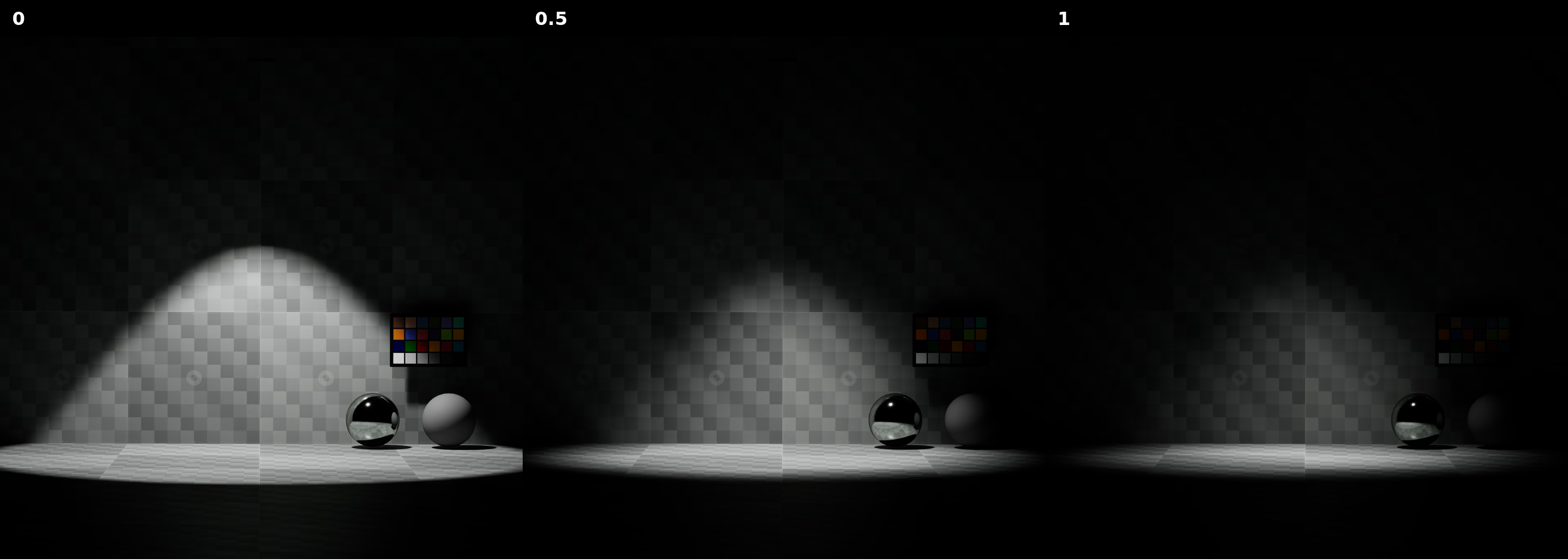
Higher softness values produce a smoother transition at the cone edge.#
Focus#
The following comparison increases focus from 0 to 8:
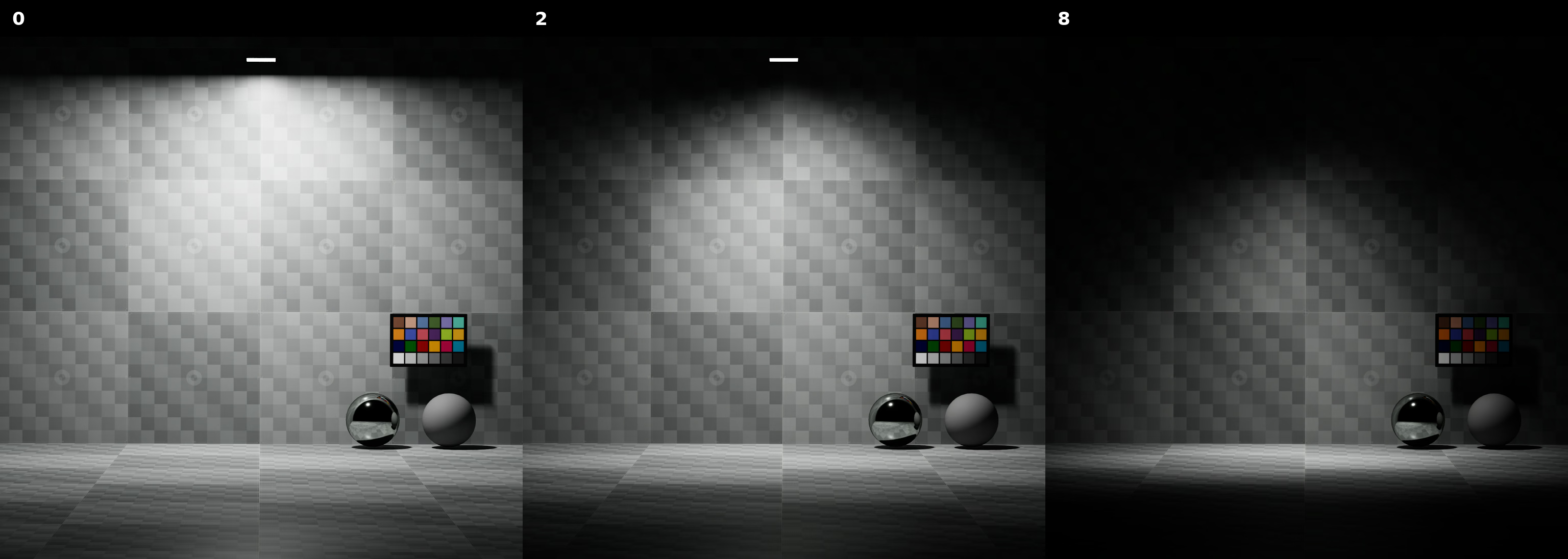
Higher focus values concentrate more emission around the primary axis.#
Focus Tint#
The following comparison changes focus tint while holding focus at 4:
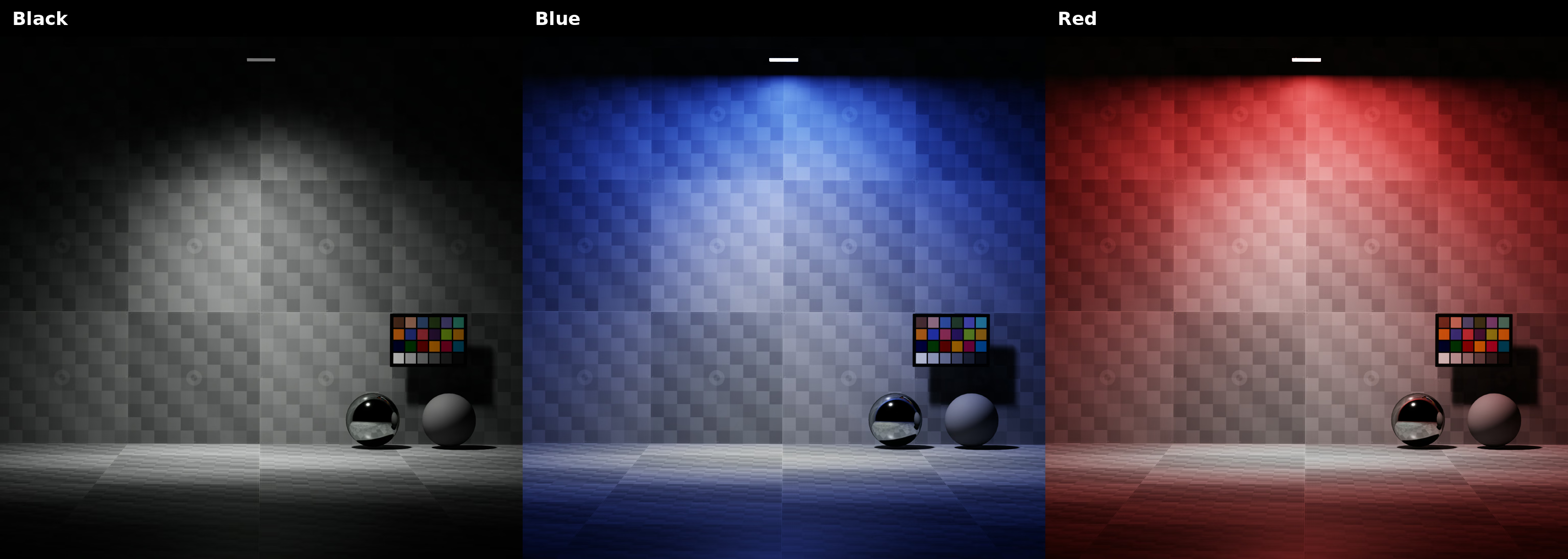
Focus tint colors the off-axis portion of the shaped emission.#
Forward Axis#
The following comparison changes the local forward axis without rotating the sphere light:
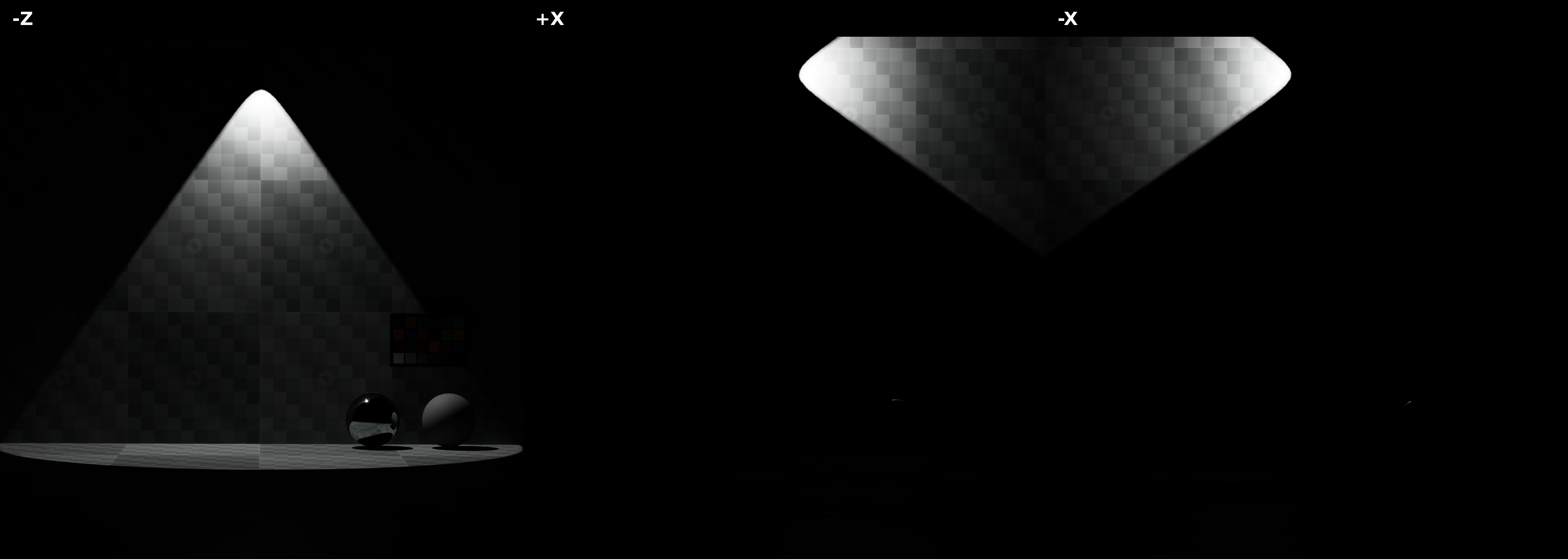
Changing the forward axis redirects the shaped emission in local space.#
The following examples apply UsdLuxShapingAPI and configure cone and focus
shaping:
def RectLight "ShapedPanel" (
    prepend apiSchemas = ["ShapingAPI"]
)
{
    float inputs:shaping:cone:angle = 45
    float inputs:shaping:cone:softness = 0.25
    float inputs:shaping:focus = 2
    color3f inputs:shaping:focusTint = (0.1, 0.2, 1)
    token omni:rtx:shaping:forwardAxis = "-Z"
}
light = UsdLux.RectLight.Define(stage, "/World/ShapedPanel")
shaping = UsdLux.ShapingAPI.Apply(light.GetPrim())
shaping.GetShapingConeAngleAttr().Set(45.0)
shaping.GetShapingConeSoftnessAttr().Set(0.25)
shaping.GetShapingFocusAttr().Set(2.0)
shaping.GetShapingFocusTintAttr().Set(Gf.Vec3f(0.1, 0.2, 1.0))
light.GetPrim().GetAttribute("omni:rtx:shaping:forwardAxis").Set("-Z")
IES Profiles#
An IES profile stores luminous intensity samples over direction. Assigning a
profile lets a light reproduce the measured beam distribution of a luminaire.
The profile is evaluated in the light’s local space. Rotate the light or set
omni:rtx:shaping:forwardAxis to aim the distribution.
Note
UsdLux uses an IES file only as an angular distribution. To preserve its
sampled candela values as measured light output, apply
PhysicalLightIlluminantAPI and set
inputs:shaping:ies:normalize to false. See
IES Profiles And Physical Units for the
resulting unit conversion, multiplier, and normalization behavior.
USD declaration |
Description |
|---|---|
|
Path to an IES profile using the LM-63 photometric data format. |
|
Rescales the profile’s vertical polar angle. Zero preserves the original distribution. For a downward-facing profile, positive values below 1 narrow it and values above 1 broaden it. |
|
Normalizes the profile so it changes angular distribution while preserving overall energy. |
IES File#
The following comparison shows the disk light without a profile and with the BEGA 50898.4K3 profile:
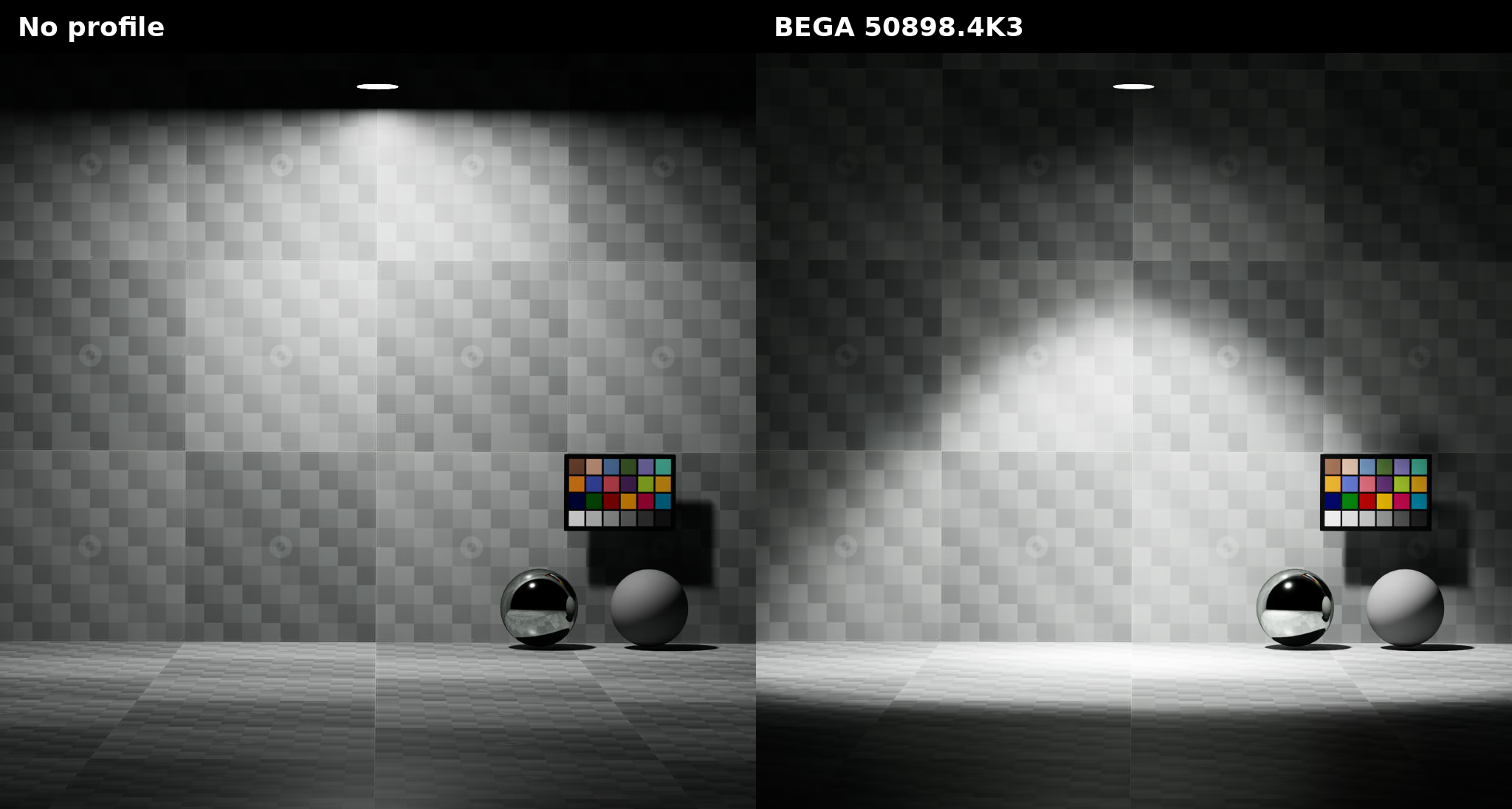
An IES profile replaces the unshaped angular distribution with measured photometric data.#
IES Angle Scale#
The following comparison changes angle scale from 0.5 to 1.5:
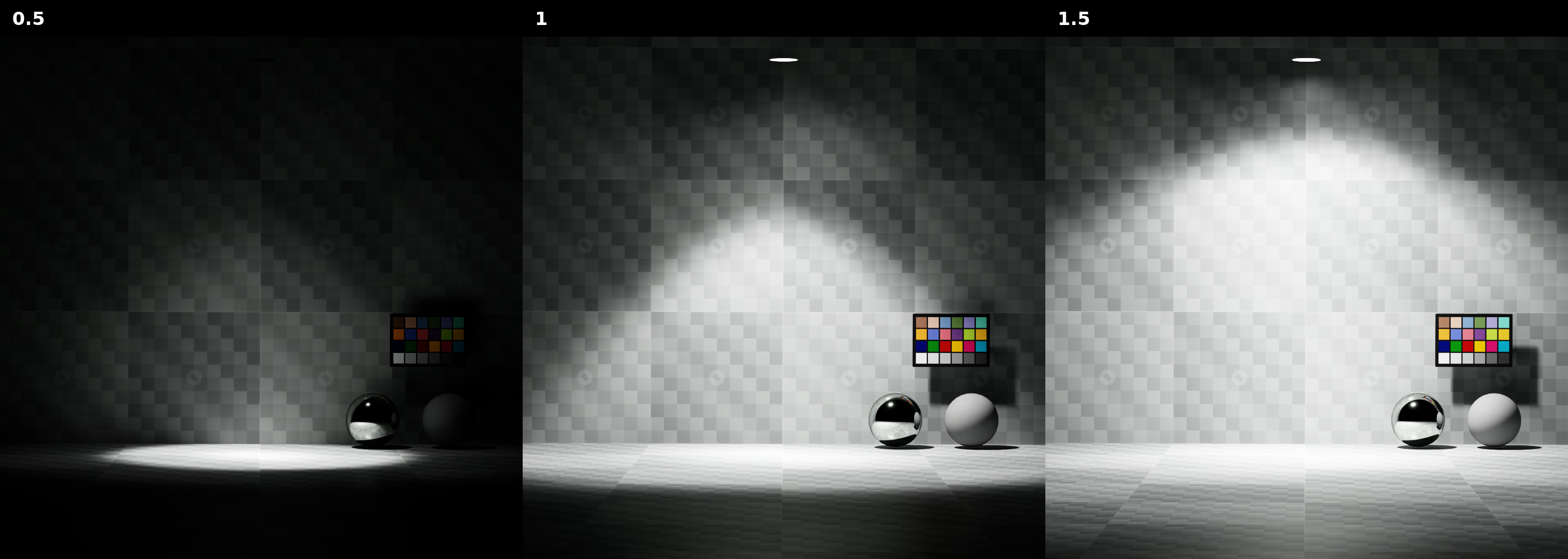
For this downward-facing profile, values below 1 narrow the distribution and values above 1 broaden it.#
IES Normalization#
The following comparison toggles profile normalization:
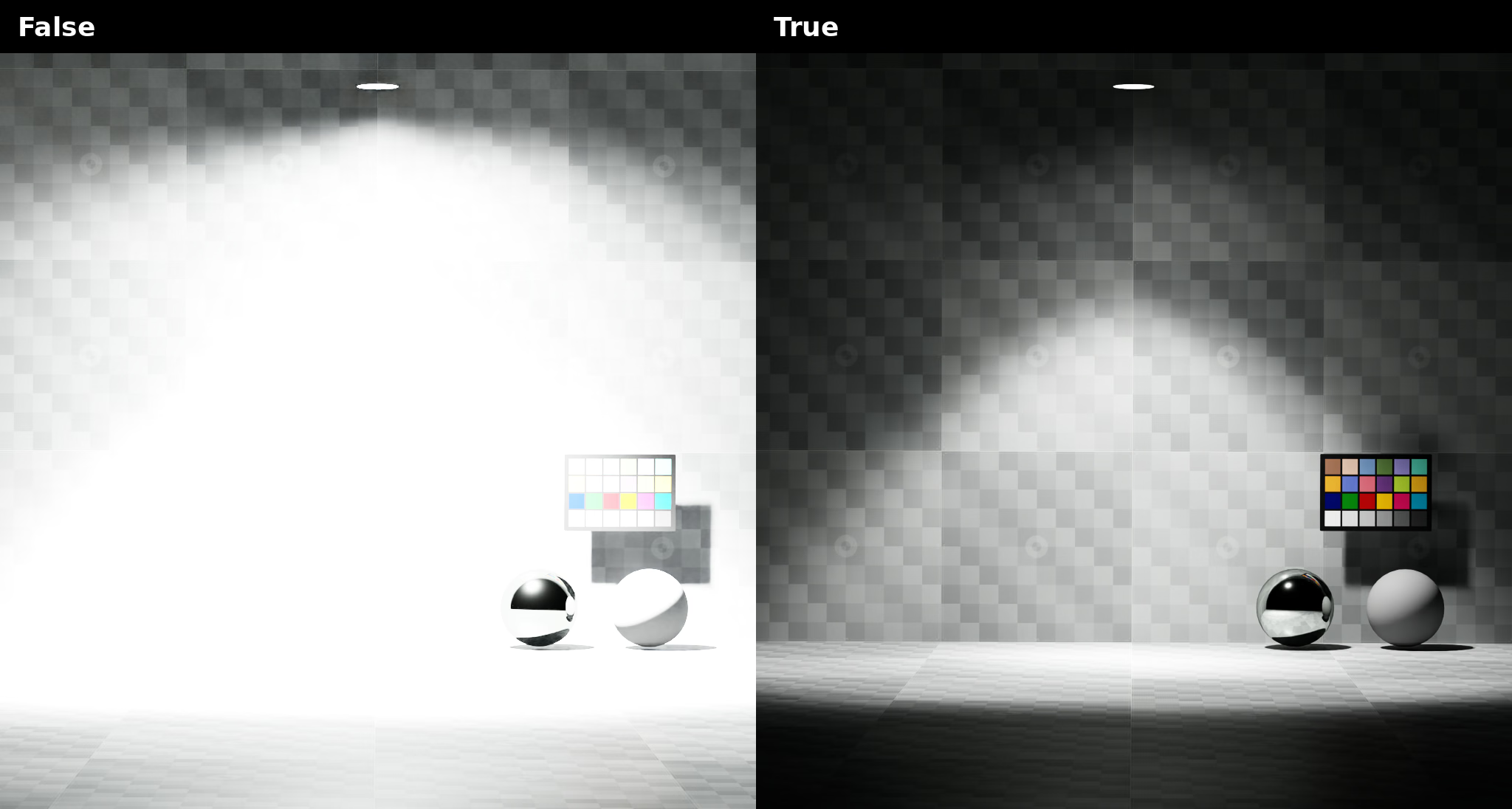
Normalization prevents the profile amplitude from changing the light’s overall energy.#
Use a negative angle scale for an upward-facing profile. Values between -1 and 0 narrow that profile; values below -1 broaden it.
The following examples assign the bundled BEGA 50898.4K3 profile and preserve the light’s overall energy:
def DiskLight "IesDownlight" (
    prepend apiSchemas = ["ShapingAPI"]
)
{
    float inputs:shaping:ies:angleScale = 1
    asset inputs:shaping:ies:file = @../../data/ies/bega-50898.4K3.ies@
    bool inputs:shaping:ies:normalize = true
}
light = UsdLux.DiskLight.Define(stage, "/World/IesDownlight")
shaping = UsdLux.ShapingAPI.Apply(light.GetPrim())
shaping.GetShapingIesAngleScaleAttr().Set(1.0)
shaping.GetShapingIesFileAttr().Set(
    Sdf.AssetPath("../../data/ies/bega-50898.4K3.ies")
)
shaping.GetShapingIesNormalizeAttr().Set(True)
Further Reading#
Refer to the UsdLuxShapingAPI reference for the OpenUSD shaping model.