

Python: AOV Compositing#
This example captures seven Path Tracing lighting outputs from one scene, adds their linear RGB values, and compares the reconstructed image with LdrColor. The scene includes diffuse, reflective, transmissive, emissive, and volume objects and a visible background.
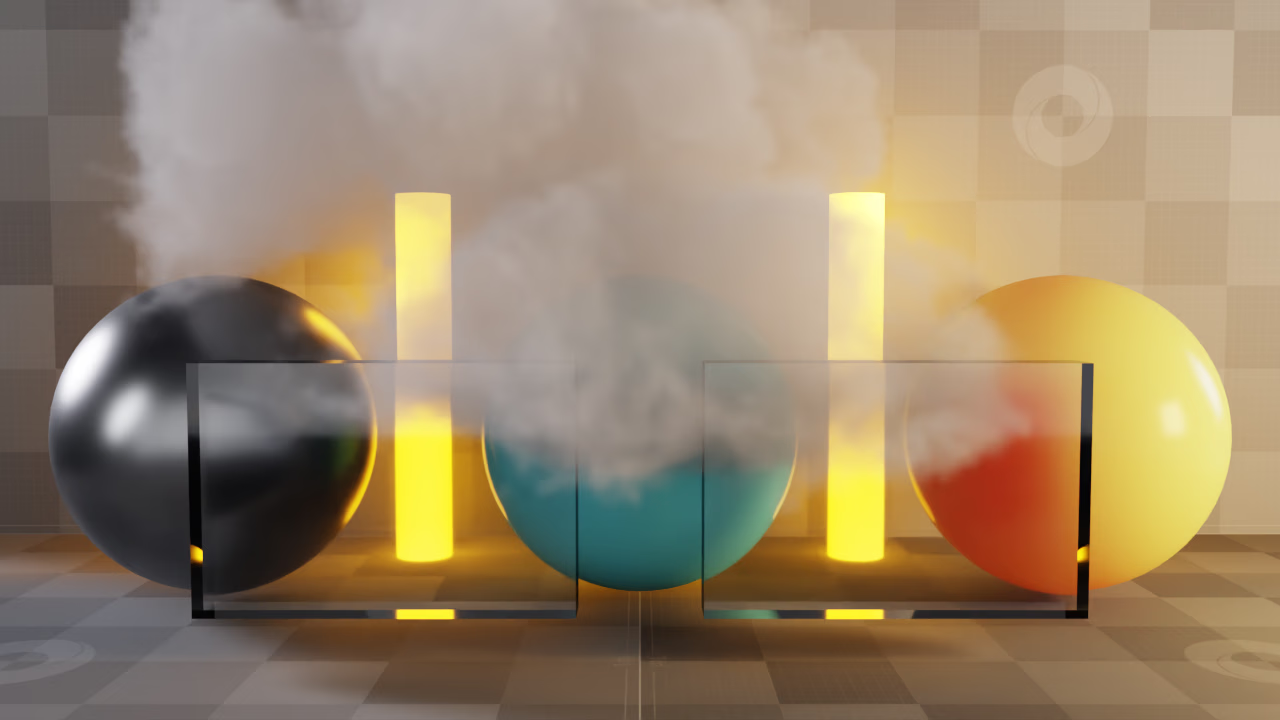
A denoised capture reconstructed by adding seven lighting passes, then applying the capture’s ACES Approximation and sRGB display transform.#
See Compositing and Back to Beauty for pass contents, material filters, and denoising. The scripts preserve floating-point EXR data for compositing; the PNG files are display images.
The following catalog shows the seven contributions and their final composite. Each panel uses the same ACES Approximation and sRGB display transform, without individual normalization. The compositor adds the linear EXR values before applying this display transform; adding the displayed panels would give a different result.
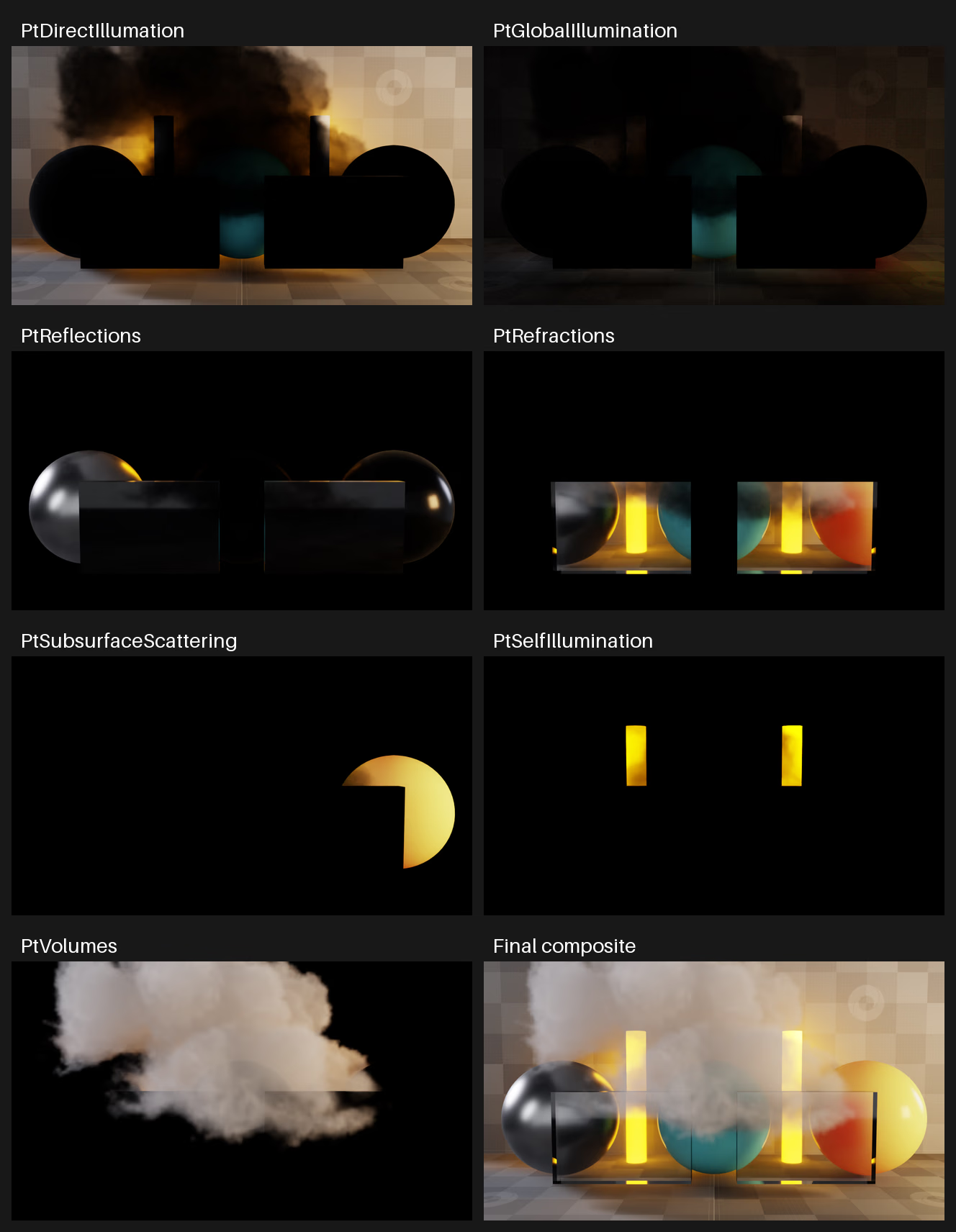
Seven denoised AOVs and their final composite, shown with one shared display transform and no per-panel normalization. The linear EXRs supply the compositing inputs.#
Running#
Run these commands from the public ovrtx directory to capture the scene, reconstruct the image, and report the error:
cd examples/python/aov-compositing
uv run render-aovs.py
uv run composite-aovs.py
The first render can take several minutes while shaders compile.
The capture writes under _output/aov. The compositor writes
_output/aov/composite/sum.aces-srgb.png and a JSON comparison report.
It also generates _output/aov/composite/aov-catalog.png, the labeled catalog
shown above.
The raw lighting AOVs accumulate at half precision, while beauty accumulates
at full precision. Their displayed sum can differ by more than one code value.
Converting the EXRs to float32 cannot recover precision lost during rendering.
Inspect the comparison report before choosing a tolerance for raw captures.
On Linux x86-64 with an RTX 5090, the default raw capture
had a maximum RGB error of 3/255 and did not pass the one-code-value check.
To use a different resolution and sample count, supply explicit capture options:
uv run render-aovs.py --output-dir _output/undenoised --denoise none --spp 128 --resolution 640 360
uv run composite-aovs.py --aov-dir _output/undenoised
To enable denoising for beauty and all seven components and check the result, run:
uv run render-aovs.py --output-dir _output/denoised --denoise aovs
uv run composite-aovs.py --aov-dir _output/denoised --check
The --check option fails when the maximum RGB difference from
LdrColor.png exceeds one 8-bit code value. This is the acceptance criterion
for the validated denoised capture.
Keep a separate directory for each capture. The display conversion in this example matches the supplied scene. If you change exposure, tone mapping, color correction, or display settings, adapt the compositor before comparing. Inspect the reported error for other settings before choosing an acceptance tolerance. The one-code-value threshold is specific to the validated denoised capture, not a bound for every scene or configuration.
Applying Display Conversion#
After adding the AOVs in linear space, convert the result for display. Display conversion is required when comparing the composite with the LDR pass, LdrColor. Apply the same tone mapping, display encoding, and 8-bit quantization as that pass before comparing.
This example applies ACES Approximation tone mapping, then the sRGB transfer function, and finally rounds to 8-bit RGB values for PNG output. Apply this conversion to the completed sum, after any adjustments to the contributions. The captured lighting outputs already include camera exposure, so the compositor applies no additional exposure multiplier.
The following functions implement the conversion. aces_approximation()
tone-maps the linear RGB values. srgb8() clamps its input to the range
0–1, applies the sRGB transfer function, and rounds to integers from 0 to 255.
def srgb8(linear: np.ndarray) -> np.ndarray:
    # Encode only after summing and tone mapping; round once for the final 8-bit image.
    linear = np.clip(linear, 0.0, 1.0)
    encoded = np.where(linear <= 0.0031308, 12.92 * linear, 1.055 * linear ** (1.0 / 2.4) - 0.055)
    return np.rint(encoded * 255.0).astype(np.uint8)


def aces_approximation(linear: np.ndarray) -> np.ndarray:
    # Match this scene's ACES Approximation operator, with no second exposure multiplier.
    linear = np.maximum(linear, 0.0)
    return np.minimum(linear * (2.51 * linear + 0.03) / (linear * (2.43 * linear + 0.59) + 0.14), 1.0)
Apply the functions as srgb8(aces_approximation(total)), where total
contains the summed linear RGB values. The result is a uint8 RGB array
that the example saves as composite/sum.aces-srgb.png under the capture
directory.
This conversion uses the supplied scene’s ACES Approximation and sRGB settings. If you choose a different tone-map operator or color pipeline, adapt the conversion before writing the PNG. Keep the linear EXR data for further compositing; use the converted PNG for display.